%20--%3e%3cdefs%3e%3cstyle%3e%20.st0%20{%20fill:%20none;%20stroke:%20%230f172a;%20stroke-linecap:%20round;%20stroke-width:%205.5px;%20}%20.st1%20{%20fill:%20%2310b981;%20}%20%3c/style%3e%3c/defs%3e%3cpath%20class='st0'%20d='M2.75,42.01v-20.12C2.75,11.32,11.32,2.75,21.89,2.75s19.14,8.57,19.14,19.14v20.12'/%3e%3cpath%20class='st0'%20d='M14.12,42.01v-13.62c0-4.29,3.48-7.78,7.78-7.78s7.78,3.48,7.78,7.78v13.62'/%3e%3ccircle%20class='st1'%20cx='21.89'%20cy='11.74'%20r='4.98'/%3e%3c/svg%3e)
Instant Roll Calls and WCAG: Visitor Experience Design for Procurement

Visitor experience design, for workplace sign-in, means the measurable optimization of front-desk and digital check-in journeys so they are fast, accessible, and safe. The goal is a sign-in process that cuts queueing, works for every visitor regardless of ability, and produces an auditable record you can pull up the moment an emergency roll call is needed. Procurement and operations teams should measure three things above all: sign-in time, accessibility compliance, and roll-call readiness.
TL;DR:
- Most vendor demos focus on smooth sign-in processes but often neglect error recovery and offline functionality crucial during emergencies.
- Accessibility requirements such as visible labels, keyboard navigation, and high-contrast text must be verified with formal conformance evidence, not just claims.
- Real-time, zone-specific roll calls with offline backup are essential for safety, requiring regular drills involving visitors and contractors.
- Prioritize emergency accountability and accessibility over speed, and test systems thoroughly through live demos and evacuation simulations before deployment.
- Continuous improvement should involve quarterly KPI tracking, including sign-in time, error rates, and accessibility incidents, with small iterative adjustments.
Table of Contents
- Core Design Principles Procurement Teams Should Require
- Concrete Sign-In Flows for Kiosks, Mobile Check-In, and Reception Staff
- Accessibility and Form Usability Checks Based on WCAG and NIST Guidance
- Integrating Visitor Experience With Emergency Roll Calls and Evacuation Procedures
- KPIs and a Quarterly Improvement Loop for Visitor Experience Design
- How EntryWatch Addresses These Design and Safety Priorities
- Prioritizing Safety, Accessibility, and Efficiency in That Order
- EntryWatch: Demo, Pilot, and Hardware Next Steps
- FAQ
- Sources
Core Design Principles Procurement Teams Should Require
A good sign-in flow asks for as little as possible and explains everything it does ask for. That principle should show up directly in your RFP language and pilot acceptance criteria.
Before signing with any vendor, write these requirements into your evaluation checklist:
- Minimize required fields and steps, keeping optional details accessible without cluttering the initial view.
- Require clear labels, inline instructions, and examples on each field to reduce entry errors.
- Demand multiple sign-in modes (kiosk, QR or mobile, pre-registration) with a consistent interface across devices.
- Confirm a clear privacy notice appears at sign-in and that data retention defaults to the minimum needed.
- Test redundancy and fallback measures to maintain operation during hardware failures, power loss, and network outages.
NIST SP 800-63A frames this well for identity enrollment: design should make it easy to do the right thing, hard to do the wrong thing, and simple to recover from a mistake. The same logic applies to a reception kiosk as it does to a government enrollment desk.
Pro Tip: Ask vendors to demo their error-recovery path, not just the happy path. A system that handles a mistyped host name gracefully tells you more than a clean demo run.
Concrete Sign-In Flows for Kiosks, Mobile Check-In, and Reception Staff
Three flow patterns cover almost every workplace scenario, and each one should minimize the same handful of fields: name, host, reason for visit, and site zone. Sensitive fields (ID numbers, health details) only belong in the flow when a specific compliance reason requires them.
- Kiosk flow: visitor arrives, selects visit type (guest, contractor, delivery), scans or enters minimal details, confirms on screen, and receives a badge or digital pass.
- QR or mobile flow: visitor pre-registers online, receives a QR code by email or text, scans it on arrival, confirms identity on their own device, and optionally collects a printed badge at reception.
- Reception-assisted flow: staff use saved templates for frequent visitors and a separate induction path for contractors who need site rules or safety briefings before entry.
The kiosk pattern works best for walk-in volume and unplanned visits. The mobile flow removes almost all friction for expected guests, since the heavy lifting happens before they arrive. Reception-assisted flows still matter for VIPs, first-time contractors, or sites where a human handoff is part of the safety process.
Field order matters as much as field count. Asking for the host’s name before the visitor’s own name, for example, slows people down and increases retries. Put the visitor’s identity first, the reason for the visit second, and let the system suggest a host from a directory rather than asking for a typed name.
Accessibility and Form Usability Checks Based on WCAG and NIST Guidance
A sign-in kiosk that does not accommodate visitors of different abilities, languages, and tech comfort levels fails many who pass through your door. Accessibility is not a bonus feature here, it is a baseline requirement.
Build these checks into your vendor evaluation:
- Every input field carries a visible label or instruction, with an example of the expected format shown alongside it.
- The kiosk and any companion mobile interface support full keyboard navigation and screen readers, with ARIA attributes applied where plain HTML semantics fall short.
- Text uses high-contrast color combinations, a readable minimum font size, and avoids character shapes (like a 0 and an O) that are easy to confuse on confirmation codes.
- Vendors provide WCAG conformance evidence, including sample markup or a test report, not just a verbal claim.
W3C’s guidance on labels and instructions confirms that clear labels and format examples reduce input errors and are essential for users with cognitive or visual impairments. The same source groups related fields together, using semantic structures like fieldset and legend, so assistive technology can present a form correctly rather than as a flat list of unlabeled boxes.
Integrating Visitor Experience With Emergency Roll Calls and Evacuation Procedures
A sign-in system earns its place in your safety plan the moment it can answer one question in seconds: who is on-site right now, and where? That means real-time headcounts, zone or location tagging, and an instantly exportable roll-call list the moment an alarm sounds.
Operational steps worth building into your rollout:
- Map typical visitor locations by zone so a roll call can be filtered by building or floor, not just a flat site-wide list.
- Train designated evacuation wardens to pull and read the roll call, not just the front-desk staff who manage day-to-day sign-ins.
- Schedule regular drills that include visitors and contractors currently on-site, not only employees.
- Test backup power and offline mode for the sign-in system itself, since an evacuation is exactly when network or power can fail.
OSHA’s evacuation planning guidance calls for distinctive alarms, reliable communication systems, and designated roles, along with auxiliary power so alerts still work during an outage. Mass notification across email, text, Teams, or Slack closes the loop between the roll call and the people who need to see it.
Pro Tip: Run at least one surprise drill a year that includes contractors and visitors already signed in. A drill that only tests employees leaves your biggest accountability gap unchecked.

KPIs and a Quarterly Improvement Loop for Visitor Experience Design
Visitor experience design is not a one-time setup. It is a loop you run every quarter, measuring the same signals and adjusting small things like field order and label wording before committing to larger changes.
| KPI | What it tells you |
|---|---|
| Average sign-in time | Whether the flow is fast enough to prevent queueing |
| Queue length at peak hours | Whether current kiosk count matches visitor volume |
| Form error or retry rate | Whether labels and field design are clear enough |
| Percentage pre-registered | Whether your mobile flow is actually reducing walk-in load |
| Badge print success rate | Whether hardware integration is reliable |
| Accessibility incidents reported | Whether the system is genuinely usable for all visitors |
The loop itself is simple: measure these signals, run small tests on labels or field sequencing, pilot the better-performing version with a subset of visitors, then update your RFP language or internal policy once a change proves out. Pair this with periodic user testing involving visitors with disabilities and an accessibility audit at least once a year, since forms that pass an automated scanner can still trip up a real screen reader user.
How EntryWatch Addresses These Design and Safety Priorities
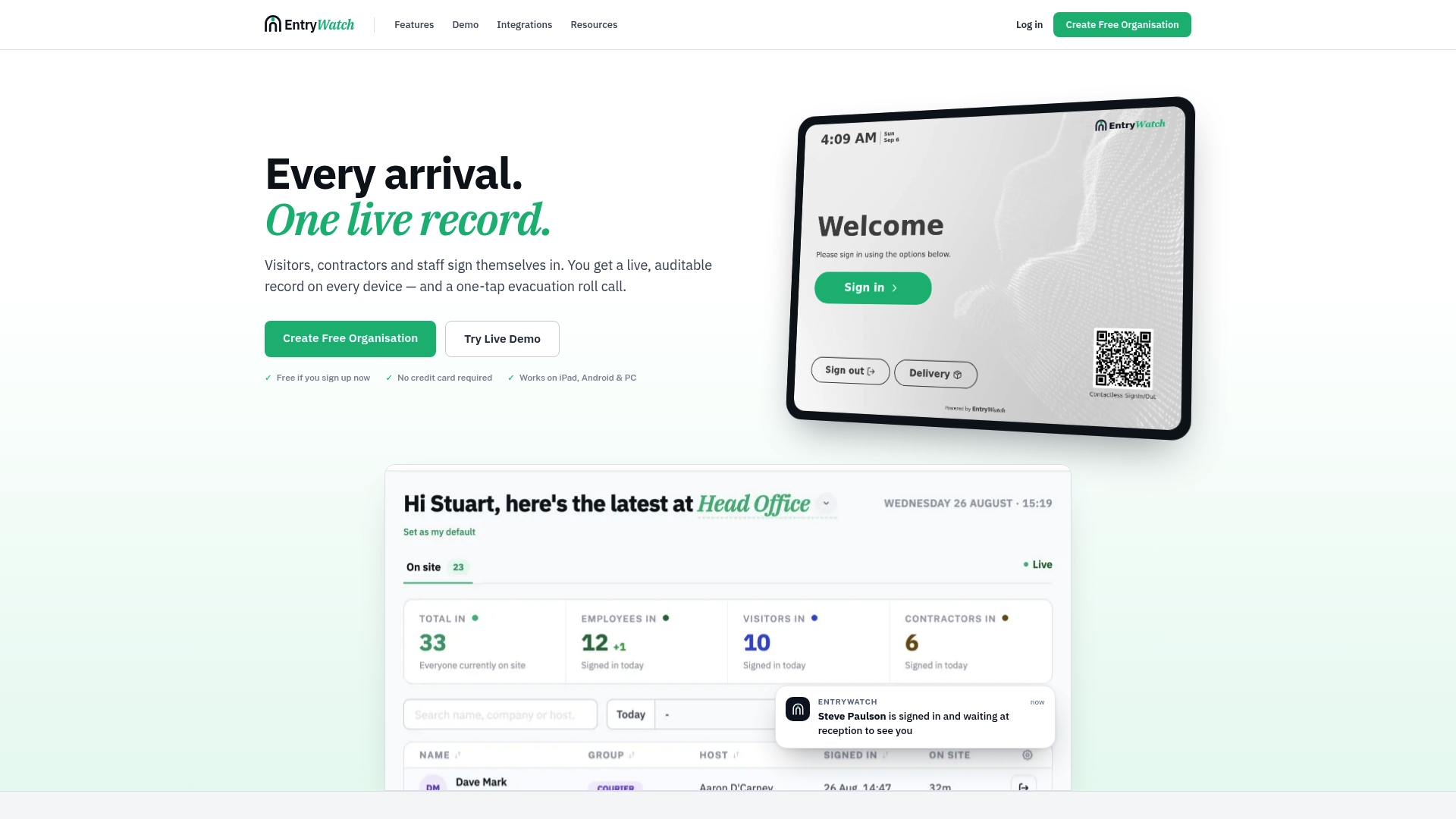
We built EntryWatch around the same checklist procurement teams should already be applying to any visitor sign-in vendor. Contactless sign-in and self-service kiosks cut queueing at reception, since visitors check themselves in without waiting for staff. Emergency roll calls pull a real-time, auditable headcount the moment it is needed, and badge printing provides visitors with a physical form of identification once they are signed in.
Before committing to any platform, including ours, we recommend these validation steps:
- Request a live demo and watch how the system handles an incomplete or incorrect entry, not just a clean one.
- Run an evacuation simulation using the vendor’s actual roll-call export, not a sales description of it.
- Inspect a sample audit log to confirm entries are timestamped, zone-tagged, and exportable on demand.
- Ask for accessibility evidence, including conformance documentation or sample markup, before signing a contract.
Prioritizing Safety, Accessibility, and Efficiency in That Order
Speed is the easiest thing to sell and the easiest thing to overvalue. A kiosk that signs visitors in three seconds faster than a competitor means little if it cannot produce an accurate roll call during a fire drill or if a visitor using a screen reader cannot complete the form at all.
Our recommendation for procurement teams: prioritize emergency accountability and accessibility first, then optimize for speed once those are solid. Run pilots on a restricted group before a full rollout, insist on accessibility proof rather than a verbal assurance, and put uptime and support response times into your service agreement rather than treating them as assumed.
— Flipmind
EntryWatch: Demo, Pilot, and Hardware Next Steps
A visitor sign-in system that checks every box on this list still has to work the day it matters, which is why we built EntryWatch around contactless kiosks, instant emergency roll calls, and badge printing rather than any single feature in isolation.
If you are evaluating vendors right now, these are the fastest next steps:
- Review our visitor management features against your own checklist.
- Check kiosk and badge printer hardware options for your site layout.
- See current pricing and the Founding plan before starting a pilot.
FAQ
What does visitor experience design mean for workplace sign-in?
It means designing the front-desk and digital check-in journey so it is fast, accessible, and produces a reliable record for safety purposes. The focus sits on reducing queueing and errors while keeping every visitor accounted for in an emergency.
How do I make a sign-in kiosk accessible?
Give every field a visible label with an example of the expected format, support full keyboard and screen reader navigation, and use high-contrast text at a readable size. W3C guidance on labels and instructions outlines the specific techniques that reduce input errors for users with cognitive or visual impairments.
How does a visitor sign-in system support emergency evacuations?
It should produce a real-time, exportable roll call showing who is on-site and in which zone, backed by offline mode and auxiliary power so it still works during an outage. OSHA’s evacuation planning guidance recommends pairing this kind of system with trained wardens and regular drills.
What should I ask vendors for before signing a contract?
Ask for a live demo that includes error handling, an evacuation roll-call export, and documented accessibility evidence rather than a verbal claim. NIST SP 800-63A supports running an on-site pilot with an accessibility walkthrough before committing to a full rollout.
What does EntryWatch cost?
EntryWatch offers a Founding plan with full details available on our pricing page, including current terms for early adopters.
Sources
- NIST SP 800-63A: Customer Experience Considerations
- How to Plan for Workplace Emergencies and Evacuations — OSHA
- Understanding Success Criterion 3.3.2: Labels or instructions — W3C