%20--%3e%3cdefs%3e%3cstyle%3e%20.st0%20{%20fill:%20none;%20stroke:%20%230f172a;%20stroke-linecap:%20round;%20stroke-width:%205.5px;%20}%20.st1%20{%20fill:%20%2310b981;%20}%20%3c/style%3e%3c/defs%3e%3cpath%20class='st0'%20d='M2.75,42.01v-20.12C2.75,11.32,11.32,2.75,21.89,2.75s19.14,8.57,19.14,19.14v20.12'/%3e%3cpath%20class='st0'%20d='M14.12,42.01v-13.62c0-4.29,3.48-7.78,7.78-7.78s7.78,3.48,7.78,7.78v13.62'/%3e%3ccircle%20class='st1'%20cx='21.89'%20cy='11.74'%20r='4.98'/%3e%3c/svg%3e)
Contractor Compliance Checklist: 3 Point Pre Mobilization Gate

A contractor compliance checklist works only if it does one job well: it stops work from starting until three control points clear. Documents come first, meaning signed contracts, tax forms, and licenses. Insurance and endorsements come second. Site induction comes third. If any of the three fails, the contractor does not mobilize until it passes.
TL;DR:
- Contractors must submit valid, current licenses, insurance with necessary endorsements, and bonds before starting work to pass the compliance gate.
- Verification of documentation should be thorough, matching source records against contract requirements, as lapses often occur pre-engagement.
- Insurance checks require confirming endorsements like CG 20 10 and CG 24 04, and covering limits exceeding the minimum for high-risk projects.
- Worker classification decisions must be documented and based on control, tools, and exclusivity to avoid costly liability for misclassification.
- Automating compliance tracking through digital systems helps prevent expired documents, ensures timely renewals, and maintains an auditable, real-time record.
Table of Contents
- What Belongs on a Contractor Compliance Checklist?
- What Documents Should You Collect Before a Contractor Starts?
- How Do You Verify Insurance, Bonding, and Endorsements?
- What Are the Rules on Worker Classification and Tax Reporting?
- What Should a Site Induction and Daily Sign-In Process Cover?
- How Often Should You Audit Contractor Compliance Records?
- How Long Should You Retain Contractor Compliance Records?
- How Do Contractors Stay Compliant With Environmental Regulations?
- How Do You Manage Subcontractor Compliance and Flow-Down Requirements?
- What Wage and Hour Rules Apply to Contractor Compliance?
- What Data Privacy and Cybersecurity Rules Apply to Contractors?
- What Happens When a Contractor Fails a Compliance Check?
- How Often Do Contractor Compliance Requirements Change?
- What Actually Matters When Building a Compliance Program
- Run Your Contractor Compliance Gate Through One System
- Where to Find Official Forms and Templates
- Sources
What Belongs on a Contractor Compliance Checklist?
A usable checklist is short enough to hand to a site supervisor and specific enough to survive an audit. It exists to enforce a pre-mobilization gate, meaning no contractor sets foot on a live site until every line clears and someone signs off on the evidence.
Here is the core sequence, with the person responsible for each line:
- Signed contract with defined scope of work — Procurement confirms scope matches the jurisdiction’s licensing triggers.
- W-9 or W-8 and TIN on file — Accounts Payable verifies before the first invoice is cut.
- Active trade license and registration — Compliance or EHS confirms against the state licensing board.
- Certificate of Insurance (COI) with correct endorsements — Risk Management or Facilities checks limits and additional-insured language.
- Bonds, if the project requires them — Procurement confirms with the bonding company directly.
- OSHA training records and site-specific certifications — EHS reviews cards and expiration dates.
- Completed site induction — Site supervisor confirms attendance before badge issuance.
- Daily sign-in and attendance log — Security or the front desk maintains a live record.
Building this into a repeatable process typically follows three steps:
- Collect every document during onboarding, before any date is scheduled.
- Verify each item against its source (licensing board, insurer, bonding company) rather than trusting the paperwork at face value.
- Gate mobilization: work does not start until every line above shows a green check.
What Documents Should You Collect Before a Contractor Starts?
Pre-engagement verification is where most compliance failures actually begin, not on-site. Getting this stage right prevents the retroactive scramble that happens when a project is three weeks in and someone realizes the license lapsed in February.
Start with the executed contract itself. The scope of work needs to align with whatever licensing triggers apply in that jurisdiction. A general contractor doing electrical work without a separate electrical license is a common gap, and it is one that only surfaces during an audit or, worse, after an incident.
Tax and entity verification comes next. Collect a Form W-9 for domestic contractors or a Form W-8 for foreign entities, along with a valid TIN or VAT number. For unfamiliar contractors, a secretary-of-state registration lookup confirms the business actually exists and is in good standing, not just a name on an invoice.
Licenses and trade credentials need renewal proof, not just a photo of a card from two years ago. A verification step as simple as checking the license number against the issuing board’s public database catches expired credentials before they become your problem.
Pro Tip: Build a certificate checklist that isolates each COI field: named insured, policy dates, aggregate limits, and endorsement schedule. Cross-check every field against the contract requirements line by line, because insurers frequently issue COIs with the wrong entity listed as additional insured.
Finalizing these criteria works best with input from Facilities, EHS, and Security, since contractor compliance functions as risk management, not paperwork.
How Do You Verify Insurance, Bonding, and Endorsements?
Reading a Certificate of Insurance takes more than checking a policy number and an expiration date. The ACORD 25 form and its endorsement schedule tell the real story, and three endorsements matter more than the rest: CG 20 10 (ongoing operations additional insured), CG 20 37 (completed operations additional insured), and CG 24 04 (waiver of subrogation). Missing any one of these means the COI looks fine on the surface but leaves a real coverage gap.
Minimum coverage limits stated in a contract are a floor, not a target. Higher-risk projects, particularly ones involving structural work or hazardous materials, usually need umbrella coverage layered on top of general liability. Performance and payment bonds apply on larger projects, and confirming bond validity means calling the bonding company directly rather than trusting a scanned certificate.
The recurring problems worth flagging on every audit:
- Expired COIs that were never resubmitted after renewal.
- Missing additional-insured endorsements despite contract language requiring them.
- No waiver of subrogation, which exposes the hiring party to subrogation claims from the contractor’s own insurer.
- Coverage limits that match state minimums instead of project-specific requirements.
An operational five-pillar compliance model treats insurance and endorsements as a distinct pillar from legal identity checks, precisely because they fail independently of each other and need separate verification steps.
What Are the Rules on Worker Classification and Tax Reporting?
Classification is the single decision that creates the most downstream liability, more than any missing form or lapsed license. Misclassifying a worker as an independent contractor when they function as an employee can produce retroactive liability for unpaid taxes and benefits, sometimes years after the work was completed.
Document the classification rationale for every engagement, not just the ones that seem borderline. Keep the jurisdictional assessment on file, whether it relies on the ABC test (used in California and several other states) or the federal economic-reality test. Evidence worth retaining includes:
- Who controls the work schedule and methods.
- Whether the contractor supplies their own tools and equipment.
- Whether the contractor works for multiple clients or exclusively for you.
- Written scope-of-work language that supports the classification decision.
Federal reporting has its own thresholds and deadlines that catch teams off guard: EEO-1 filings, VETS-4212 reports for federal contractors, Davis-Bacon certified payroll on covered projects, and 1099 or withholding requirements tied to payment amounts. Planning data collection early avoids the last-minute filing failures that trigger penalties. When classification is genuinely ambiguous, loop in legal counsel or consider a Contractor of Record arrangement instead of guessing.
What Should a Site Induction and Daily Sign-In Process Cover?
Site induction is where compliance stops being a filing cabinet exercise and becomes a physical safety control. A proper induction covers emergency procedures and assembly points, required PPE for the specific work area, permit-to-work requirements for hazardous tasks, and a hazards briefing specific to that day’s conditions.
Training verification runs alongside induction: OSHA 10 or OSHA 30 cards, trade-specific certifications, and confirmation that refresher training hasn’t lapsed. A card that expired last month is functionally the same as no card at all.
Daily controls are what turn a one-time induction into an ongoing safety record:
- Sign-in and sign-out logged for every visit, not just the first day.
- Host notification when a contractor arrives on site.
- Supervision checks or spot audits during active work.
- A live occupancy register that reflects who is actually on site right now, not who was scheduled to be.
Pro Tip: Paper sign-in sheets lose pages, get left in trucks, and rarely survive an audit request intact. A digital induction and sign-in system closes that gap by keeping every record in one searchable place.
How Often Should You Audit Contractor Compliance Records?
Documents expire. Licenses lapse. Insurance policies renew on their own schedule, often mid-project. An audit cadence built around automated tracking catches these before they become a stop-work event instead of after.
- Set automated expiry alerts for every document with a renewal date, and assign a named owner responsible for chasing renewals before they lapse.
- Run a quarterly audit that spot-checks a sample of active contractor files against current licensing board and insurer records, not just what’s on file.
- When a document lapses, follow a fixed escalation flow: stop work on that contractor immediately, require a remediation plan with a deadline, then re-verify before allowing work to resume.
- Preserve every audit finding, remediation email, and re-verification record as evidence for future inspections.
This pattern matches what state responsible-contractor programs already require: pre-start certificates plus monthly confirmation that records remain current, not a one-time check at kickoff.
How Long Should You Retain Contractor Compliance Records?
Retention windows depend on the funding source and the applicable regulation. Davis-Bacon projects typically require certified payroll retention for three years after project completion, and OSHA recordkeeping rules carry their own multi-year windows. FAR-covered federal contracts often extend retention further depending on contract value and audit rights clauses.
Closeout deliverables should include certified payroll records, a final subcontractor list, and certificates of compliance for every trade involved. A simple folder naming convention (project name, contractor name, document type, expiration date) turns a records request from a scramble into a five-minute export.
How Do Contractors Stay Compliant With Environmental Regulations?
Environmental compliance sits alongside safety and labor requirements as a third category of risk that many checklists underweight. Contractors working on demolition, excavation, or renovation projects often trigger federal and state environmental rules that have nothing to do with OSHA or licensing boards.
The most common triggers involve hazardous materials handling. Asbestos abatement, lead paint removal on pre-1978 structures, and soil disturbance near contaminated sites each carry their own permitting and notification requirements. A contractor working without the correct environmental permit can halt a project entirely, sometimes with regulatory fines attached to the hiring party as well as the contractor.
Stormwater and runoff control matters on any site with significant ground disturbance. Contractors need a documented Stormwater Pollution Prevention Plan on many construction sites, along with proof they’ve implemented the erosion controls it specifies. Waste disposal is another checkpoint: contractors handling regulated waste streams need documented manifests showing the waste went to a licensed disposal facility, not just a general assurance that “it was handled.”
Build environmental verification into the same pre-mobilization gate as insurance and licensing. Ask for:
- Environmental permits specific to the scope of work.
- Hazardous materials handling certifications where applicable.
- A stormwater or erosion control plan for ground-disturbing work.
- Waste manifest documentation for regulated disposal.
Treating environmental compliance as an afterthought, checked only if a problem surfaces, is how most environmental violations actually happen. Building it into the same document collection workflow as insurance and licensing keeps it from falling through the cracks.
How Do You Manage Subcontractor Compliance and Flow-Down Requirements?
A prime contractor’s compliance obligations do not stop at their own paperwork. Every requirement that applies to the prime, licensing, insurance, safety training, wage rules, needs to flow down to every subcontractor working under them. This is where compliance programs most often break down, because the hiring party’s visibility into subcontractor documentation is naturally one step removed.
Flow-down clauses need to be explicit in the subcontract itself, not assumed. If a project requires Davis-Bacon certified payroll, that obligation has to be written into every tier of subcontract, not just the prime agreement. The same applies to insurance minimums, safety training standards, and environmental permit requirements. A subcontractor who never saw the flow-down language has a reasonable argument that they weren’t bound by it.
Verification has to extend to the subcontractor tier, not stop at the prime. That means collecting COIs, licenses, and safety certifications for every subcontractor before they set foot on site, using the same pre-mobilization gate applied to primes. Responsible-contractor guidance specifically calls for subcontractor lists as a required deliverable, precisely because hiring parties are accountable for who actually shows up to do the work.
Practical steps that keep subcontractor compliance from becoming a blind spot:
- Require primes to submit a subcontractor list before mobilization, updated whenever a new sub joins.
- Verify subcontractor insurance and licensing independently, rather than trusting the prime’s assurance that it’s handled.
- Include flow-down language in every subcontract tier, referencing the specific clauses that apply.
- Audit a sample of subcontractor files during the same cadence used for prime contractor audits.
Where a project involves several tiers of subcontracting, the compliance gap tends to widen at each level down. A second-tier subcontractor is often the least documented and the least visible, which makes it the highest-risk point in the chain.
What Wage and Hour Rules Apply to Contractor Compliance?
Labor law compliance for contractors covers two distinct categories: how the contractor’s own workforce is paid, and whether prevailing wage rules apply to the specific project. Both carry real enforcement risk, and both are frequently overlooked until a wage claim or audit forces the issue.
Prevailing wage requirements apply on most federally funded construction projects under the Davis-Bacon framework, and many states have parallel prevailing wage laws for state-funded work. Contractors on covered projects must pay at least the published prevailing wage rate for each labor classification, and they must document it through certified payroll submitted on a defined schedule, often weekly. Certified payroll is not paperwork you collect once at closeout. It’s a continuous obligation that needs collecting throughout the life of the project.
Overtime and minimum wage compliance under the Fair Labor Standards Act applies regardless of whether the project involves prevailing wage. Contractors who misclassify hourly workers as exempt, or who fail to pay overtime for hours worked beyond 40 in a week, create liability that can extend back to the hiring party if the contractor relationship itself is later found to be a misclassified employment relationship.
Practical controls worth building into the checklist:
- Confirm whether the project triggers Davis-Bacon or a state prevailing wage law before work starts, not after.
- Require certified payroll submissions on the schedule the contract specifies, and verify wage classifications match the actual work performed.
- Keep a record of wage determination rates in effect at contract signing, since rates can change mid-project on longer engagements.
- Flag any contractor paying a flat day rate regardless of hours worked, since this often signals an overtime compliance gap.
What Data Privacy and Cybersecurity Rules Apply to Contractors?
Contractors increasingly touch systems and data that used to stay entirely inside the hiring organization, badge access systems, building management platforms, even HR data during onboarding. That access creates a compliance obligation that has nothing to do with safety or wage law, but carries real regulatory and contractual weight.
Contractors working on federal contracts may fall under specific cybersecurity frameworks depending on the agency and contract type. Contractors in regulated industries such as life sciences or healthcare often need to meet electronic recordkeeping standards like 21 CFR Part 11, which governs how electronic records and signatures must be controlled to remain valid evidence. If a contractor is generating or accessing records covered by that standard, the compliance checklist needs a line item specifically for it.
Data handling agreements matter even outside regulated industries. Any contractor with access to personnel data, tenant information, or proprietary building schematics should be bound by confidentiality and data protection terms in the master agreement, not left to informal trust. Digital forms collected during onboarding, health declarations, NDAs, site rules acknowledgments, are themselves a category of sensitive data that needs secure storage and defined retention limits, not indefinite storage on someone’s laptop.
Add these checks to the compliance workflow:
- Confirm whether the contractor’s scope involves access to regulated data or systems, and flag any applicable framework.
- Require a signed confidentiality or data protection clause for any contractor with system or data access.
- Store digital onboarding forms in a system with defined access controls and retention limits, not shared drives.
- Review physical access credentials (badges, kiosk logins) as a security control, not just a convenience feature.
What Happens When a Contractor Fails a Compliance Check?
Enforcement only means something if it’s applied consistently, and the consequences of non-compliance vary by how the gap is discovered and how serious it is. Understanding the range helps calibrate the right response instead of defaulting to either a rubber stamp or an overreaction.
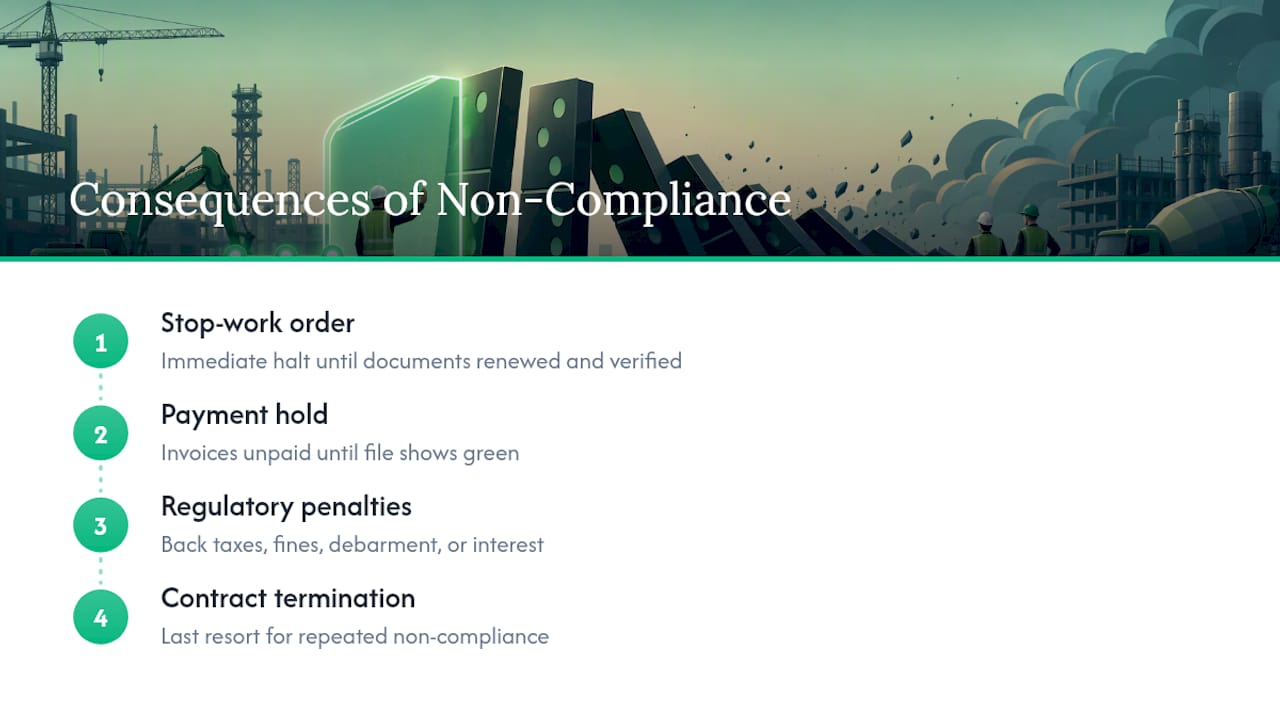
The most immediate consequence is a stop-work order. If a contractor’s COI lapses mid-project or a required license expires, the standard response is to halt that contractor’s work on site until the document is renewed and re-verified. This isn’t punitive. It’s the mechanism that keeps the hiring party from being exposed to uninsured work on their property.
Payment holds serve a similar function on the financial side. Many compliance programs tie invoice approval directly to current document status, meaning an invoice simply doesn’t get paid until the contractor’s file shows green across every required line. This tends to get compliance gaps fixed faster than a stern email ever does, because it hits the contractor’s cash flow directly.
Beyond internal enforcement, regulatory consequences apply independently of anything the hiring party decides. Misclassification findings can trigger back taxes, penalties, and interest assessed directly against the contractor, and in some cases against the hiring party if joint-employer liability applies. Davis-Bacon violations can result in contract termination and debarment from future federal work. OSHA violations discovered during an incident investigation can carry fines that scale with severity and repeat-violation history.
Contract termination is the last resort, reserved for contractors who show a pattern of non-compliance rather than an isolated lapse. A single expired document that gets remediated quickly is a process gap. A contractor who repeatedly fails to maintain current insurance or ignores induction requirements is a different problem, and the compliance program should distinguish between the two rather than treating every violation identically.
How Often Do Contractor Compliance Requirements Change?
Compliance requirements are not static, and treating a checklist as a one-time setup is how programs fall out of date within a year or two. Several forces drive change on a regular basis, and tracking them needs to be a defined responsibility, not an occasional glance at the news.
Wage determination rates under Davis-Bacon and state prevailing wage laws update periodically, sometimes annually, sometimes more often depending on the labor classification and region. A certified payroll submission using last year’s rate table is a compliance failure even if every other field is correct.
Insurance requirements shift as well, often driven by claims history and market conditions rather than regulation. Minimum coverage limits that were standard five years ago may no longer match what insurers or hiring parties consider adequate for the same scope of work, particularly after high-profile claims reshape what “adequate” umbrella coverage looks like in a given industry.
Regulatory frameworks themselves evolve. Federal contractor reporting thresholds, EEO-1 categories, VETS-4212 requirements, get revised periodically, and states regularly update licensing board requirements, prevailing wage schedules, and environmental permitting rules. A checklist built in 2022 that hasn’t been reviewed since is very likely missing at least one current requirement.
The practical fix is a scheduled review, not a reactive one. Assign an owner to review the compliance checklist itself against current regulatory guidance at least annually, separate from the ongoing document-expiry audits described earlier. That review should specifically check wage rate tables, insurance minimum benchmarks, and any new reporting obligations that came into effect since the last review.
What Actually Matters When Building a Compliance Program
Verification before mobilization beats remediation after the fact, every time. A checklist that lets a contractor start work with a promise to “get the paperwork over by Friday” has already failed at its one job.
Remediation has a place, but only for genuine lapses with a fast, verifiable fix, not for gaps that were never checked in the first place. The line between the two is whether you can point to the exact date verification happened.
Cross-functional ownership beats a single compliance owner working alone. Facilities knows the physical site risks, EHS knows the training gaps, Security knows who’s actually walking through the door. A simple escalation path, one person, one deadline, one re-verification step, works better than a committee.
— Flipmind
Run Your Contractor Compliance Gate Through One System
The checklist above works on paper, but paper is exactly where compliance gaps hide, an expired COI in a filing cabinet, a sign-in sheet left in a truck. A visitor management system gives compliance and EHS teams one live system instead of scattered folders and spreadsheets: contractors upload licenses and insurance documents during digital onboarding, complete site induction on a kiosk before badge issuance, and every arrival logs into an auditable, timestamped record.

Document expiry alerts notify the responsible owner automatically, which means the pre-mobilization gate enforces itself instead of relying on someone remembering a renewal date. When an evacuation happens, the same evacuation roll-call feature that tracks daily attendance produces an instant headcount of every contractor on site. For teams managing multiple sites or high contractor turnover, that’s the difference between a compliance file you hope is current and one you can prove is current.
See how contractor sign-in, induction, and audit logging work together on the visitor management platform, and book a walkthrough to see your own pre-mobilization gate running before your next contractor arrives on site.
Where to Find Official Forms and Templates
For primary references, check the Massachusetts responsible contractor guidance for certified payroll and sign-in templates, Minneapolis’s contract compliance checklist for public-sector reporting formats, and the USACE construction compliance checklist for federal project templates.
Sources
- Understanding Contractor Compliance Management | Avetta
- Contractor compliance checklist: hiring, taxes, oversight | Legal Clarity
- Mass
- Federal contractor compliance requirements for new contractors | OutSolve
- Vendor compliance checklist for contractors (2026) | Subdoc