%20--%3e%3cdefs%3e%3cstyle%3e%20.st0%20{%20fill:%20none;%20stroke:%20%230f172a;%20stroke-linecap:%20round;%20stroke-width:%205.5px;%20}%20.st1%20{%20fill:%20%2310b981;%20}%20%3c/style%3e%3c/defs%3e%3cpath%20class='st0'%20d='M2.75,42.01v-20.12C2.75,11.32,11.32,2.75,21.89,2.75s19.14,8.57,19.14,19.14v20.12'/%3e%3cpath%20class='st0'%20d='M14.12,42.01v-13.62c0-4.29,3.48-7.78,7.78-7.78s7.78,3.48,7.78,7.78v13.62'/%3e%3ccircle%20class='st1'%20cx='21.89'%20cy='11.74'%20r='4.98'/%3e%3c/svg%3e)
Admins: Fix OAuth and SAML in Google Workspace Visitor Management
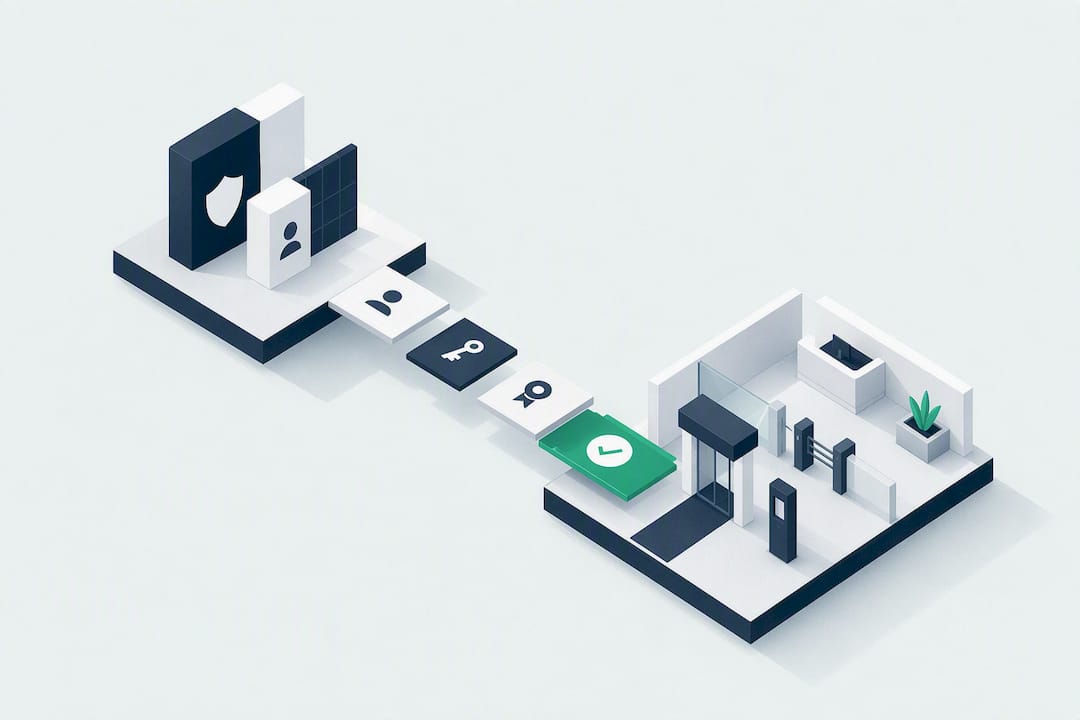
Yes, Google Workspace supports integrated visitor management. You install an approved Workspace Marketplace app or connect a visitor-management platform, then configure Admin permissions, Calendar integration, and single sign-on. Before installing anything, run through your Admin console setup: confirm who holds Super Admin rights, review the OAuth scopes the app requests, and decide whether SAML-based SSO or a dedicated service account fits your provisioning model. That checklist, done once, prevents most of the headaches that come later.
TL;DR:
- Installing visitor management tools on Google Workspace requires careful review of OAuth scopes to minimize security risks and prevent unnecessary directory access.
- Proper setup involves creating dedicated service accounts, verifying resource calendars, and configuring SAML for SSO to avoid expansion issues or integration failures over time.
- Calendar-based integration enables real-time updates for scheduling, while host notifications and badge printing are handled through Marketplace apps linked to the calendar event.
- Admin roles and permissions, including Super Admin rights, are essential for initial setup and domain-wide deployment, with restricted access recommended for ongoing security.
- Regular testing and documentation of configurations ensure reliable operation and make troubleshooting easier if issues arise later in the visitor management process.
Table of Contents
- How Google Workspace Visitor Management Integrations Actually Work
- What Google Workspace Requirements Should You Plan For?
- Setup Checklist: Installing and Verifying Your Integration
- Security Practices for Third-Party Workspace Apps
- Everyday Workflows Once the Integration Is Live
- How EntryWatch Fits the Google Workspace Integration Model
- What Most Setup Guides Get Wrong About Workspace Integration
- Ready to Put This Checklist to Work?
- Where to Verify These Settings Yourself
- Sources
- FAQ
How Google Workspace Visitor Management Integrations Actually Work
Most visitor-management platforms connect to Google Workspace through three mechanisms, and understanding each one helps you scope the project before you touch the Admin console.
Calendar-based integration is the most common starting point. A host schedules a meeting in Google Calendar, adds a visitor’s email, and a Calendar add-on links that event to the visitor record, using the Calendar API for real-time, two-way sync. Change the meeting time, and the kiosk schedule updates automatically.
Marketplace apps serve as the bridge for everything beyond scheduling: pre-registration forms, host notifications, and badge printing all typically route through an installed add-on rather than a custom integration.
SSO and provisioning handle the admin side. SAML 2.0 lets hosts and administrators sign into the visitor platform with their existing Google Workspace credentials.
- Calendar add-ons for event-linked invites and room bookings
- Marketplace apps for pre-registration, notifications, and badge automation
- SAML/SSO for admin and host authentication
- Directory API scopes for syncing user and group data
What Google Workspace Requirements Should You Plan For?
Before you install anything, map out four technical areas. Skipping this step is the single most common reason visitor-management rollouts stall halfway through.
Admin roles. Installing a Marketplace app for the whole domain generally requires Super Admin privileges. Vendor documentation for Calendar add-ons confirms this, and also notes that individual employees may need a specific role, often labeled “Host,” before they can create visitor-linked calendar invites.
OAuth scopes. Expect the app to request scopes covering calendar read/write access, admin.directory.resource.calendar.readonly for room and resource data, and read-only scopes for user and group directories. Each scope grants real access to real data, so read the list before you approve it.
SAML flows. Visitor platforms that support SSO typically offer both IdP-initiated and SP-initiated flows. Eptura Visitor’s documentation walks through the exact sequence: set Google as the identity provider, paste in the Issuer and endpoint URLs, upload the certificate, then finish configuration in the Admin console.
Resource calendars. If you run multiple sites or lobbies, build out your room lists and resource calendars first. Kiosk sync depends on that structure being correct before the app ever connects to it.
- Super Admin (or delegated admin) for initial Marketplace install
- Calendar read/write and
admin.directory.resource.calendar.readonlyscopes - Directory read scopes for users and groups
- SAML 2.0 endpoints, Issuer, and certificate for SSO
Pro Tip: Pull a full list of requested OAuth scopes before you click “Install.” If a visitor app asks for write access to your entire directory when it only needs to read room resources, that mismatch is worth a call to the vendor before you approve anything.
Setup Checklist: Installing and Verifying Your Integration
Work through these steps in order rather than jumping straight to installation. Each stage catches problems the next stage would otherwise inherit.
- Pre-install. Create a dedicated service account or user rather than tying the integration to a personal admin login. Vendor guidance recommends this specifically because it avoids redoing the entire setup if the admin who configured it leaves the company. Confirm your domain, verify resource calendars exist for every site, and map which staff groups count as “hosts.”
- Install. Authorize only the OAuth scopes the app actually needs. Restrict app availability to the organizational units or groups that require it rather than turning it on domain-wide by default.
- Configure. Set up SAML if you’re using SSO, enable automatic provisioning where the platform supports it, and configure notification channels, email, SMS, Teams, or Slack, for host alerts.
- Test. Run a full check-in scenario end to end: schedule a visitor, confirm the kiosk shows the invite, sign in, and verify the host notification arrives. Test both SP-initiated and IdP-initiated SSO logins separately, since a working link in one direction doesn’t guarantee the other works too.
Document what you verified and when. If something breaks three months later, that record saves you from re-testing everything from scratch.
Security Practices for Third-Party Workspace Apps
Every visitor app you connect to Workspace is a door into your directory data. Treat the permissions review with the same seriousness you’d give a new vendor contract.
Start with least privilege. Security guidance on OAuth scopes is consistent on this point: granting broader access than an app needs creates exposure that has nothing to do with whether the app itself is well built. Review every requested scope and push back on anything that looks excessive for what the app claims to do.
- Use a dedicated service account, not a personal admin login, for the integration
- Restrict app access by Org Unit or group rather than domain-wide
- Automate deprovisioning so departing employees lose access the same day
- Keep audit logs with a retention policy tied to your compliance obligations, not vendor defaults
| Practice | Why it matters |
|---|---|
| Least-privilege OAuth scopes | Limits what a compromised or misconfigured app can access |
| Dedicated service account | Removes single-person dependency on setup and maintenance |
| Group/OU-based access restriction | Confines the app’s reach to the users who actually need it |
| Automated deprovisioning | Closes access gaps the moment someone leaves |
| Retained, exportable audit logs | Supports emergency roll call and compliance reviews |
If an app misbehaves, whether that’s requesting new permissions unexpectedly or causing provisioning errors, Google’s own Marketplace guidance recommends disabling it for the affected OUs immediately rather than troubleshooting live in production.
Everyday Workflows Once the Integration Is Live
Once the technical setup is done, the day-to-day operation is where the integration earns its keep.
A host schedules a meeting in Google Calendar and adds the visitor’s email. The visitor automatically receives sign-in instructions, and the kiosk schedule updates the moment the calendar event does. At the front desk, the visitor scans a QR code or finds their pre-registered name on the kiosk screen, signs in, and the host gets a notification by email, Teams, or Slack within seconds.
Contractors follow a slightly different path: before arrival, they complete digital induction forms, NDAs, site rules, health declarations, so the paperwork is already on file when they walk in.
- Calendar invite triggers pre-registration and visitor instructions automatically
- Kiosk check-in via QR code or pre-registration list, with instant host alerts
- Contractor inductions completed digitally before the visit
- Emergency roll call pulls live sign-in data for immediate headcount accuracy
That last point matters more than it sounds. In an evacuation, a warden with a live occupancy register can account for everyone at the assembly point in minutes instead of guessing from a paper sign-in sheet.
How EntryWatch Fits the Google Workspace Integration Model
Everything covered above, calendar sync, SSO, host notifications, auditable logs, maps directly onto how EntryWatch is built. It’s a practical reference point for what a Workspace-ready visitor system should actually deliver.
- Contactless sign-in and self-service kiosks that eliminate reception queues
- Automatic emergency roll calls drawn from real-time sign-in data
- Host notifications via email, SMS, Teams, or Slack
- Multi-site and multi-kiosk support for organizations running more than one location
- Integrations with Google Workspace, Microsoft Entra ID, and everyday collaboration tools
EntryWatch offers its full feature set free for founding customers until 2027, according to the publisher, which lowers the barrier for teams that want to test a Workspace-integrated setup before committing budget to it.
What Most Setup Guides Get Wrong About Workspace Integration
Most guidance on this topic treats Google Workspace as a plug-and-play backend. It isn’t. The Admin console decisions, who holds Super Admin, which OAuth scopes get approved, whether SSO runs IdP or SP initiated, determine whether the integration is secure or a liability six months from now. That’s the part conventional advice skips past on the way to talking about kiosk screens and badge designs.
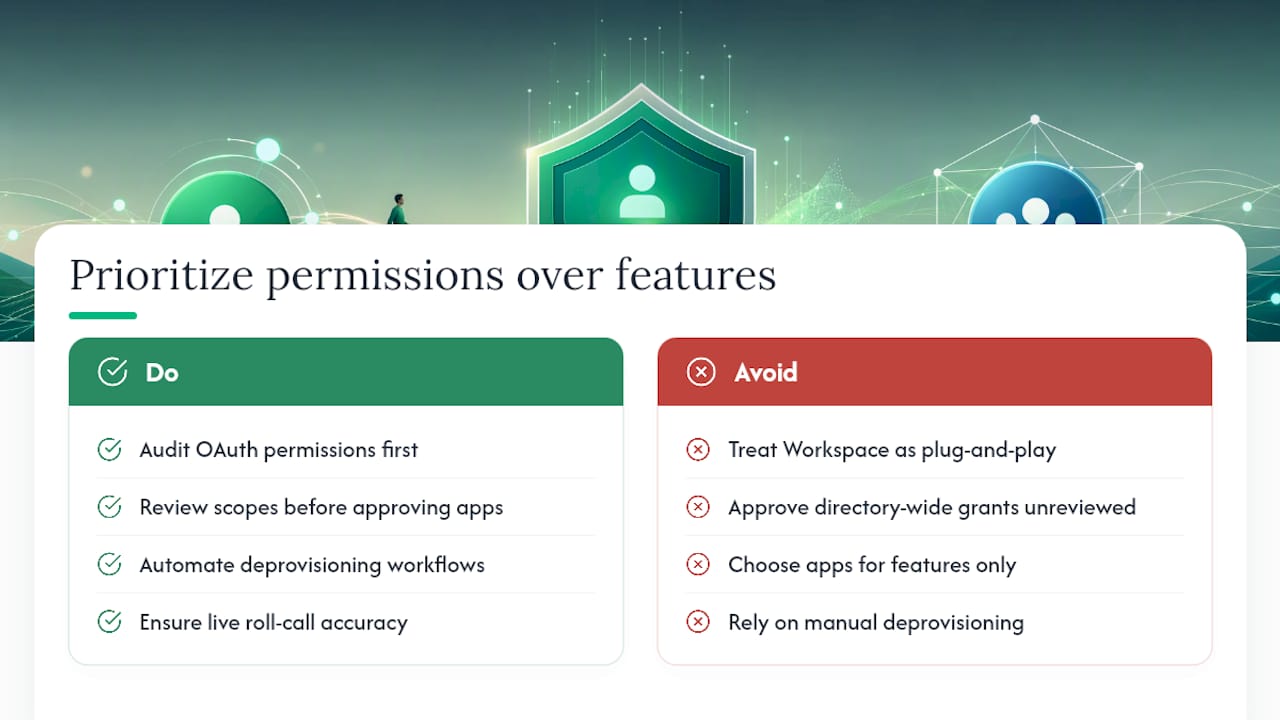
The overrated piece is the app selection itself. Most Marketplace visitor apps cover the same baseline: calendar sync, notifications, a check-in screen. The real differentiator is what happens around the software: whether your team actually reviewed scopes before approving them, whether deprovisioning is automated or someone’s manual task, whether roll-call data is genuinely live or five minutes stale during an actual emergency.
Prioritize the permissions audit before the feature comparison. A visitor app with fewer bells and whistles but tightly scoped access and instant roll-call accuracy beats one with more automation and a directory-wide OAuth grant nobody reviewed. Security and speed of accountability aren’t features you bolt on later. They’re the foundation the rest of the system sits on.
— Flipmind
Ready to Put This Checklist to Work?
Running through Admin roles, OAuth scopes, and SAML setup manually takes real time, and most teams only want to do it once. EntryWatch is built to shorten that process: connect it to Google Workspace, and calendar sync, host notifications, and emergency roll call are working configurations, not projects you assemble from scratch.
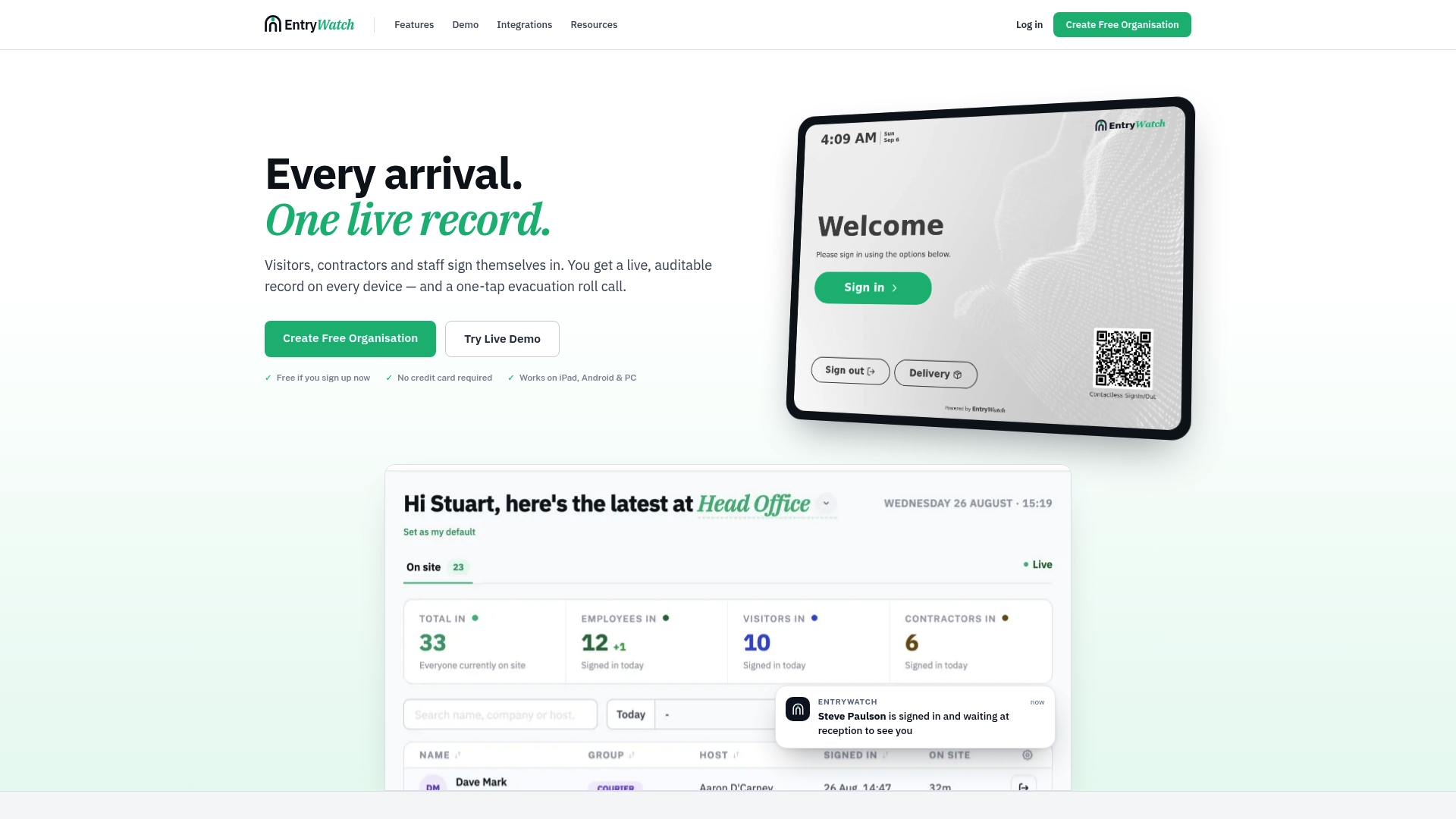
Founding customers get the complete platform, contactless sign-in, self-service kiosks, digital forms, multi-site support, free until 2027, according to EntryWatch’s own pricing page. If you’re evaluating options, start by reviewing the features and integrations list against the checklist above, then check current founding plan availability. If your sites need physical kiosks or badge printers to go with the software, the hardware page covers stands and printers that pair with the setup.
Where to Verify These Settings Yourself
Confirm scope and role requirements directly with Google’s own Marketplace app management documentation before installing anything domain-wide. Cross-check vendor specifics, like dedicated account setup or SAML endpoints, against the visitor platform’s own support articles, since exact scope names and steps vary by app.
Sources
- Gfacility - FMS for Google Workspace - Google Workspace Marketplace
- How to create a dedicated user for visitor management via Google Workspace | Comeen Help Center
- Eptura Visitor (formerly Proxyclick) cloud app | Apps & integrations | Google Workspace Help
- OAuth scopes & permissions security best practices — Obsidian Security blog
FAQ
What Is a Google Visitor Session, and How Does It Work?
A Google visitor session refers to signing into a Google product or service without creating a persistent account tied to your identity, distinct from a Workspace-managed account used for visitor management software. In the visitor-management context covered here, a “session” is typically the visitor’s authenticated check-in window on the kiosk, tied to a calendar invite or pre-registration record.
Can a Google Workspace Admin See My Browsing History?
Workspace admins can control which apps and features are available to users on managed accounts, but standard browsing history isn’t something admin controls expose by default. Google’s own support documentation notes that managed accounts may have specific features restricted or turned off entirely by the organization’s administrator, which is separate from controls over browsing activity.
Is Google’s Visitor Experience Free?
Google Workspace itself doesn’t include a built-in visitor-management product. It’s free, but installing a third-party visitor app from the Marketplace usually requires a paid subscription to that vendor’s platform. EntryWatch, for example, offers its full feature set free for founding customers until 2027, according to the publisher.
What Are the Disadvantages of Using Google Workspace for Visitor Management?
Workspace alone doesn’t include kiosk hardware, badge printing, or dedicated visitor check-in screens, so you need a third-party app to handle the front-desk experience. Setup also demands admin-level configuration work, Super Admin installation, OAuth scope review, and SAML setup, that a smaller organization without dedicated IT support may find time-consuming.
Do I Need Super Admin Access to Install a Visitor App on Google Workspace?
Installing a Marketplace app domain-wide typically requires Super Admin privileges, based on Google’s own Marketplace guidance. Individual hosts creating calendar invites usually need only a specific assigned role, not admin access itself.