%20--%3e%3cdefs%3e%3cstyle%3e%20.st0%20{%20fill:%20none;%20stroke:%20%230f172a;%20stroke-linecap:%20round;%20stroke-width:%205.5px;%20}%20.st1%20{%20fill:%20%2310b981;%20}%20%3c/style%3e%3c/defs%3e%3cpath%20class='st0'%20d='M2.75,42.01v-20.12C2.75,11.32,11.32,2.75,21.89,2.75s19.14,8.57,19.14,19.14v20.12'/%3e%3cpath%20class='st0'%20d='M14.12,42.01v-13.62c0-4.29,3.48-7.78,7.78-7.78s7.78,3.48,7.78,7.78v13.62'/%3e%3ccircle%20class='st1'%20cx='21.89'%20cy='11.74'%20r='4.98'/%3e%3c/svg%3e)
Launch a Health Declaration Form in Your VMS This Week, No Extra Staff

A workplace health declaration form is a short digital screening questionnaire, integrated with your visitor management system, that records symptom and exposure attestations and produces an auditable entry decision. The right approach is a mobile or kiosk form entrants complete before or at arrival, not a paper clipboard at reception. Done well, it gives you faster check-in, a clean audit trail, and a clear next step whenever someone answers “yes” to a risk question.
TL;DR:
- Using short, targeted questions on digital forms enhances honesty and compliance, leading to more accurate screening results.
- Different entrants require tailored screening routines, with pre-arrival links for visitors and rolling checks for contractors.
- Integration methods like QR codes, kiosks, and API feeds ensure efficient data flow and automation of alerts and contact tracing.
- Collect only essential health data, implement strict access controls, and retain records for the legally required period with encryption.
- Accessibility features such as multiple languages and disability accommodations are vital to ensure all visitors can complete the screening.
Table of Contents
- What Should a Health Declaration Form Include?
- Who Do You Screen, and When?
- Integrating the Digital Health Declaration With Your Visitor Management System
- Data Handling, Retention, and Privacy: A Practical Guide
- Sample Screening Workflow, Step by Step
- Rolling Out the Form: A Short Implementation Checklist
- Legal Liabilities and Consent When Collecting Health Data
- Making Screening Accessible to Every Visitor
- What EntryWatch Has Learned From Health Screening Rollouts
- Get Health Declarations Running at Your Entrance This Week
- Sources
What Should a Health Declaration Form Include?
A workplace health screening declaration form only works if it asks the right handful of questions and nothing more. Long medical questionnaires get abandoned or answered carelessly. Short, direct forms get finished and get finished honestly, which is why templates built for entry screening stick to a consistent structure.
Build your form around these fields, as recommended in the NexoLab Blog which discusses key fields included in technology-based health declaration forms.
- Entrant details: full name, host or department, reason for visit, phone number, and date/time of arrival.
- Symptom checklist: fever, cough, shortness of breath, loss of smell or taste, nausea, or diarrhea, matching the categories in county public-health screening guidance.
- Exposure history: any known close contact with a symptomatic or diagnosed individual in the past 14 days.
- Temperature reading: optional for most sites, but worth including for healthcare, correctional, or critical-infrastructure locations where the same guidance flags it as appropriate for select groups. Public-health guidance is clear that a temperature check alone never substitutes for symptom questions.
- Attestation and sign-off: a statement confirming the answers are accurate, plus a note on what happens next if any answer is “yes.”
That last field matters more than teams expect. An attestation clause doesn’t just cover you legally. It nudges people toward honest answers, which is the entire point of the form.
Who Do You Screen, and When?
Not every entrant needs the same screening cadence. A visitor management system should apply different rules to different populations rather than forcing one blanket policy on everyone who walks through the door.
- Visitors typically complete a one-time declaration per visit, ideally before they arrive.
- Contractors on recurring site access often need a rolling declaration, refreshed daily or per shift depending on your risk tolerance.
- Employees may fall under a separate policy tied to your HR or safety program rather than the visitor flow.
- Pre-arrival screening (sent by email or QR link ahead of the visit) cuts down on entrance-lobby bottlenecks and lets you flag a problem before someone drives across town.
- On-arrival kiosk screening works better for walk-ins, deliveries, or sites where pre-registration isn’t practical.
- Temperature checks make the most sense in healthcare, correctional facilities, and critical infrastructure, per Alameda County’s screening guidance, and are optional almost everywhere else.
Anyone who screens positive should be redirected away from common areas immediately and given clear next steps rather than left standing at reception while staff figure out what to do.
Integrating the Digital Health Declaration With Your Visitor Management System
The form itself is only half the job. What matters operationally is where that data goes once someone submits it, and whether it triggers the right action without a staff member manually relaying information.
There are four practical integration patterns worth considering:
- Pre-visit links: sent by email or text ahead of a scheduled visit, so screening happens before anyone leaves home.
- QR check-in: a code at the entrance that opens the form on a visitor’s own phone, no shared device required.
- Kiosk self-service: an on-site tablet or stand that walks entrants through the same questions, useful for walk-ins and deliveries.
- API-based ingestion: for organizations running their own intake tools that need screening results to land inside VMS records automatically.
Pre-registration paired with QR check-in shortens the line at the door and gets a host notification moving before the visitor even reaches the lobby. That same integration is what makes evacuation roll-call accurate: if the screening result and the sign-in event live in the same record, your live occupancy register reflects who’s actually on site, not who signed a piece of paper an hour ago.
Contactless kiosks pull double duty here. They remove the shared-pen, shared-clipboard problem that public-health guidance flags as a basic hygiene risk, and they free up reception staff instead of turning them into a screening checkpoint for every arrival. Entry’s visitor management system handles this by tying the screening outcome directly to the entry log, so a flagged visitor never blends into the general roll-call count.
Pro Tip: Make the screening outcome its own discrete field in your system, not buried text inside a form response. That’s what lets it flow automatically into contact-tracing exports and emergency roll-call reports instead of requiring someone to reopen every form by hand.
Data Handling, Retention, and Privacy: A Practical Guide
Health data is sensitive, and the safest policy is the one that collects the least. Ask only what you need to make an entry decision, not a full medical history.
A workable data policy rests on four habits:
- Minimize collection: capture symptom and exposure answers, skip anything that reads like a diagnosis or medical record.
- Set a retention window: define how long you keep screening records and document the deletion schedule, referencing your jurisdiction’s recordkeeping rules where they apply.
- Restrict access: only role-assigned staff should view raw health responses, and every view should generate a log entry.
- Encrypt everywhere: data in transit and at rest, with export activity logged for audit purposes.
Alameda County’s guidance references Cal/OSHA recordkeeping standards for employee medical records, which is a useful benchmark even outside California: keep records only as long as policy requires, and be able to show who accessed them and when. A digital system that logs every access event gives you that proof automatically. A shared spreadsheet does not.
Sample Screening Workflow, Step by Step
A workable arrival flow doesn’t need to be complicated. It needs to be consistent, because consistency is what makes it defensible later.
- Pre-registration: the visitor or contractor receives a link ahead of arrival and completes the declaration on their own device.
- Arrival check-in: a QR scan or kiosk confirms identity and pulls up the completed form, or prompts a same-day submission for walk-ins.
- Outcome recording: the system logs a pass or flag result as a discrete field tied to that visit record.
- Action on a flag: a “yes” answer triggers denied entry, a request to isolate, an automatic host notification, and advice to seek testing or medical guidance, echoing the approach in public-health screening checklists.
- Host and roll-call sync: the outcome feeds the same record used for evacuation roll-call, so accountability doesn’t depend on someone remembering who was flagged.
Office sites can run this lean. Warehouses may add a supervisor sign-off step. Healthcare settings typically layer in a temperature check and a stricter isolation protocol before anyone proceeds past the lobby.
Rolling Out the Form: A Short Implementation Checklist
Pilot before you commit sitewide. A single entrance running the full flow for two weeks will surface problems a spreadsheet planning session never will.
- Test the kiosk and mobile flows end to end, including host notifications.
- Train staff on what to do when a screen flags someone, not just how to run the kiosk.
- Put up signage near the entrance so arrivals know what to expect before they reach the door.
- Track completion rate, denied entries, and support requests during the pilot window.
- Document the SOP and map screening outcomes directly to your emergency procedures.
Pro Tip: Watch your denied-entry rate closely in week one. A number near zero often means the form isn’t being taken seriously, not that your site is unusually healthy.
Legal Liabilities and Consent When Collecting Health Data
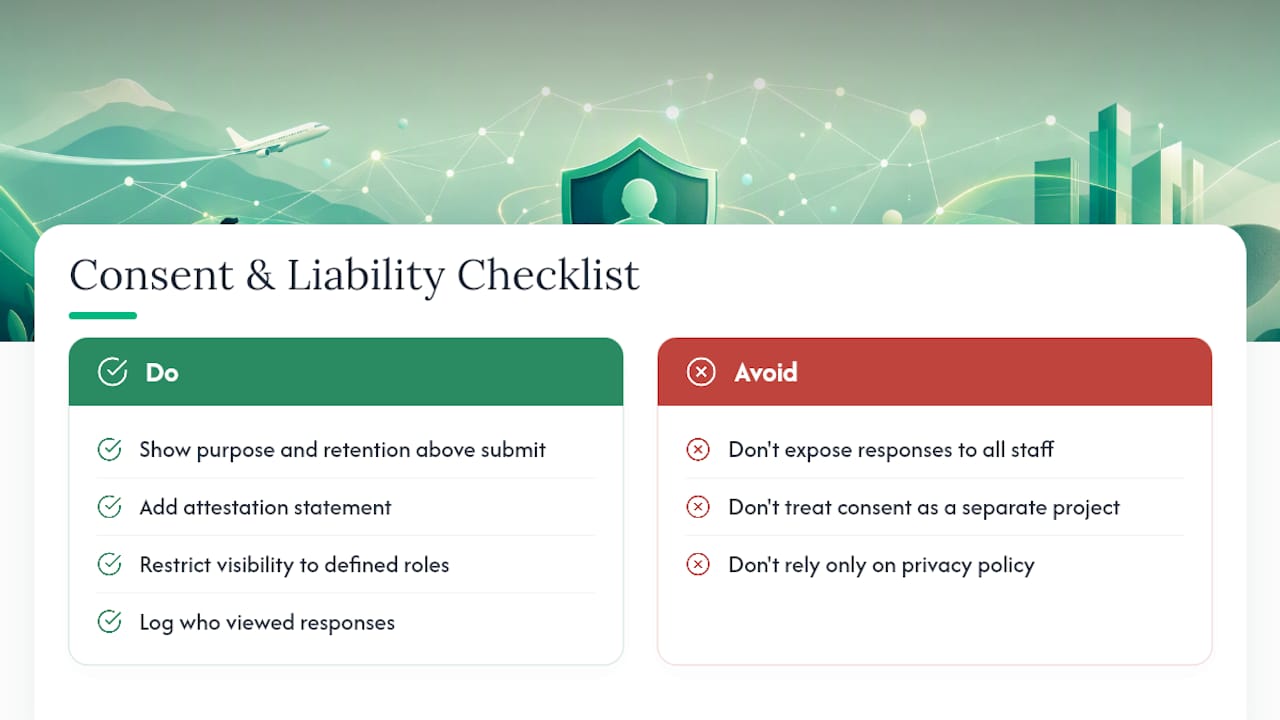
Collecting symptom and exposure information puts you in the business of handling health data, and that comes with real obligations. The core principle is consent: entrants should know what’s being asked, why, and what happens with their answers before they submit the form.
Build consent into the form itself rather than treating it as an afterthought. A brief statement above the submit button, explaining the purpose of the questions and how long answers are retained, does more legal work than a lengthy privacy policy nobody reads. Attestation language also matters for liability. If someone answers “no” to every question and later tests positive, your documented process, not just the individual answer, is what protects the organization.
Access control ties directly into liability exposure. If health responses are visible to every staff member with system access, you’ve widened the pool of people who could mishandle sensitive data, and that increases your risk if something goes wrong. Restricting visibility to a defined set of roles, with a full log of who viewed what and when, gives you a defensible position if a regulator or an affected individual asks questions later.
None of this requires a legal department to operationalize. It requires a documented policy, a consistent form, and a system that can prove, after the fact, exactly what happened and who saw it. Treat consent management as part of the form design, not a separate compliance project bolted on afterward.
Making Screening Accessible to Every Visitor
A health declaration form that only works for English-speaking, sighted, dexterous visitors isn’t doing its job. Screening exists to protect everyone on site, and that only holds if everyone can actually complete the form.
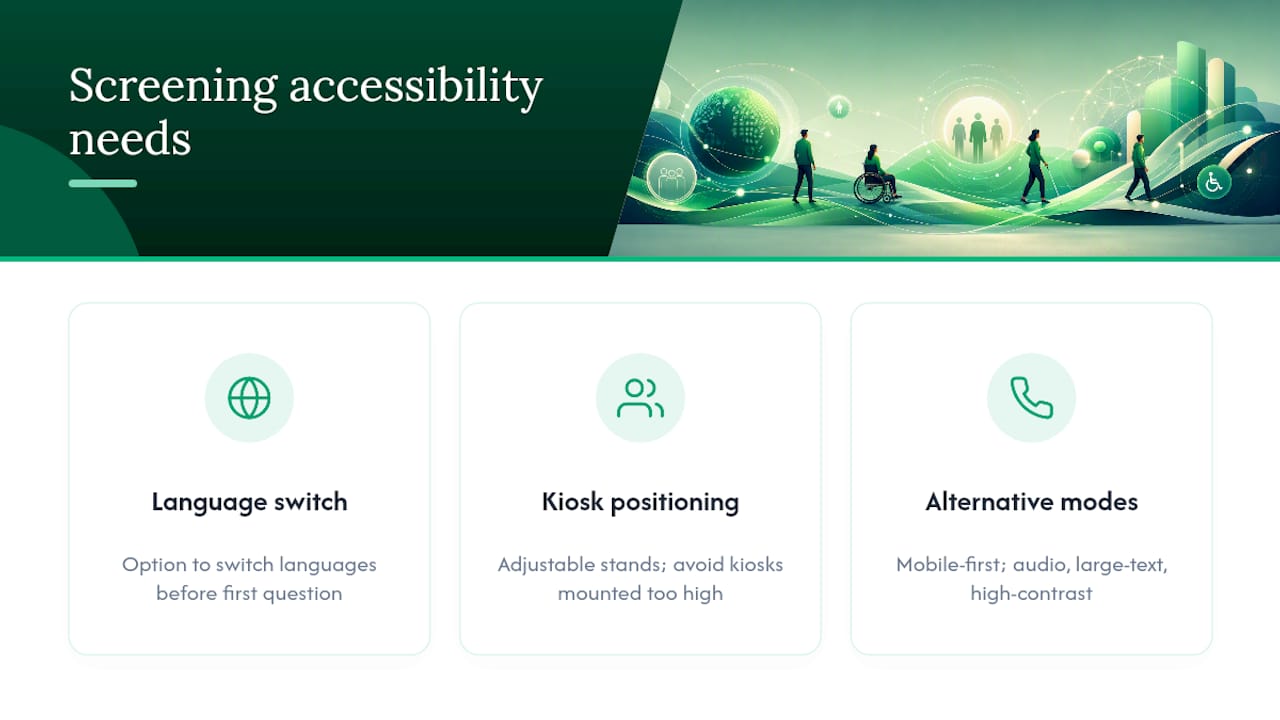
Language coverage is the most common gap. If your site sees visitors, delivery drivers, or contractors who don’t read English fluently, a kiosk or mobile form needs at least the option to switch languages before the first question loads. This matters even more at logistics sites and multi-tenant buildings, where the visitor population changes daily.
Disability access deserves the same attention as language. A kiosk mounted too high for a wheelchair user, or a touchscreen with no audio alternative for someone with low vision, defeats the purpose of a contactless system. Practical fixes include adjustable kiosk stands, a mobile-first form that works on a visitor’s own phone at their own pace, and large-text or high-contrast display modes. None of these are exotic requirements. They’re the difference between a screening process that works for your actual visitor population and one that only works on paper.
Building these options in from the start costs far less than retrofitting them after a complaint or an access issue forces the question.
What EntryWatch Has Learned From Health Screening Rollouts
The rollouts that go smoothly share one trait: the health declaration form is treated as part of the entry record, not a separate compliance exercise living in a different system. When screening, sign-in, and roll-call data sit in one auditable record, host notifications happen automatically instead of depending on someone checking a shared inbox.
The most common pitfall is scope creep on the form itself. Teams add extra questions “just in case,” completion rates drop, and the data gets messier, not safer. The fix is discipline: keep the question set short, keep the evacuation roll-call integration tight, and let the audit trail do the compliance work instead of the form.
— Flipmind
Get Health Declarations Running at Your Entrance This Week
This approach gives a faster path to compliant screening than building forms from scratch or stitching together separate kiosk and spreadsheet tools. Digital health declaration forms can sit inside the same platform as contactless sign-in, self-service kiosks, and real-time entry logs, so a flagged screening result doesn’t sit isolated in a form response somewhere.
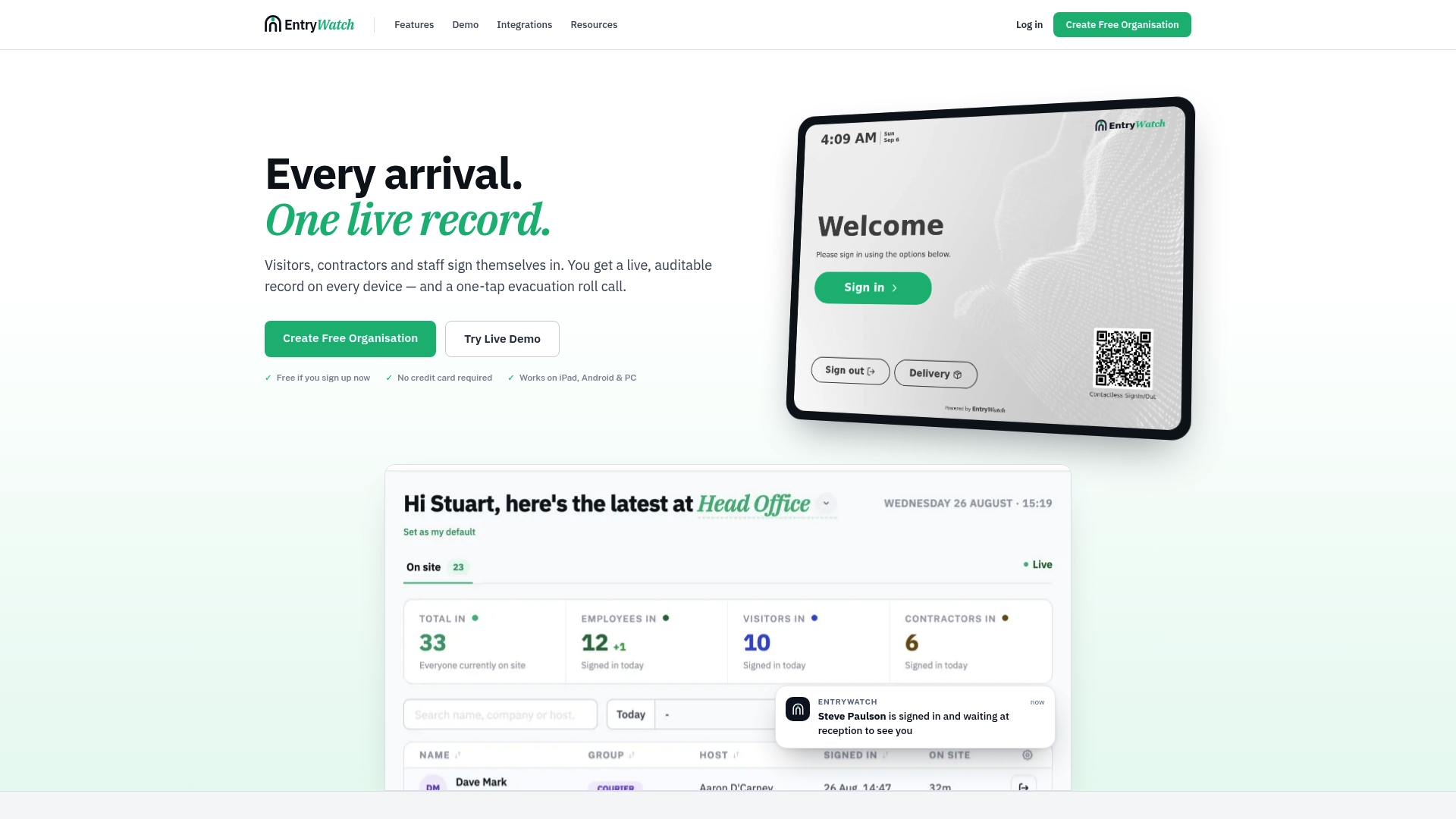
Visitors and contractors can complete the declaration through a pre-visit link, a QR scan, or an on-site kiosk, and the outcome feeds straight into host notifications and your evacuation roll-call record. That means one auditable log covers who’s on site, who passed screening, and who needs follow-up, without reception staff chasing paper forms or cross-checking spreadsheets by hand.
If your current process still relies on a clipboard or a disconnected form tool, start by looking at how the visitor management system handles digital forms end to end, then request a demo to see the kiosk and pre-registration flow running on a site layout.
Sources
- COVID-19 screening guidance for businesses and organizations (Alameda County)
- Coronavirus self-declaration form templates (SafetyCulture)
- Workplace Entry Screening App template (Jotform)