%20--%3e%3cdefs%3e%3cstyle%3e%20.st0%20{%20fill:%20none;%20stroke:%20%230f172a;%20stroke-linecap:%20round;%20stroke-width:%205.5px;%20}%20.st1%20{%20fill:%20%2310b981;%20}%20%3c/style%3e%3c/defs%3e%3cpath%20class='st0'%20d='M2.75,42.01v-20.12C2.75,11.32,11.32,2.75,21.89,2.75s19.14,8.57,19.14,19.14v20.12'/%3e%3cpath%20class='st0'%20d='M14.12,42.01v-13.62c0-4.29,3.48-7.78,7.78-7.78s7.78,3.48,7.78,7.78v13.62'/%3e%3ccircle%20class='st1'%20cx='21.89'%20cy='11.74'%20r='4.98'/%3e%3c/svg%3e)
Run a 2–4 Week Pilot of QR Code Sign In: Specs for Facility Managers

QR-code sign-in is a contactless, mobile-first check-in workflow that gives you a real-time, auditable entry log and support kiosks and badge printing. It replaces paper logs and shared tablets with a scan-and-submit flow visitors complete on their own phones. For operations and health and safety teams, it works whenever you need fast check-in, defensible compliance records, and instant headcounts during a drill. There are systems built around this exact workflow.
TL;DR:
- QR-code sign-in significantly improves speed and data accuracy over paper logs, especially at sites with high visitor volumes arriving simultaneously.
- Essential features include mobile QR workflows with e-signatures, kiosk support, real-time auditable logs, host notifications, and strict privacy controls.
- A phased rollout with clear metrics such as average check-in times and mobile adoption rates helps ensure a smooth transition and highlights areas for improvement.
- Offline kiosk operation and robust reconciliation during emergency drills are critical for compliance, safety, and auditing purposes.
- EntryWatch offers an integrated platform that includes these features from the start, with a free trial available to validate its fit for your site.
Table of Contents
- Why Choose QR-Code Contactless Sign-In?
- Core Features to Require in a QR-Code Sign-In System
- How Do You Roll Out QR-Code Sign-In Without Disruption?
- What Should You Test for Compliance and Emergency Readiness?
- Common Deployment Mistakes and What to Measure After Launch
- How EntryWatch Approaches QR-Code Sign-In
- Ready to Trial a QR-Code Sign-In System?
- Sources
- FAQ
Why Choose QR-Code Contactless Sign-In?
Paper logs and shared sign-in tablets slow everyone down. A visitor scans a code, fills out a short form on their own device, and walks in. There’s no clipboard, no shared stylus, no queue backing up into the lobby.
Manual sign-ins are slow to complete and even slower to search later, while digital QR and mobile systems make lookups nearly instant, according to industry analysis of facilities replacing paper visitor logs. That speed gain compounds at multi-entrance sites where dozens of contractors arrive within the same 15 minutes.
The bigger win is data quality. A digital form can require an NDA acknowledgment, a health declaration, or a site-rules confirmation before the submit button even works, and it captures the exact version of that form the visitor agreed to. Contactless registration systems let visitors complete these mandatory steps on their own devices, so nothing gets skipped and nothing sits on a shared surface.
What this looks like in practice:
- Timestamped entry and exit records searchable by name, company, or host
- Digital acknowledgment of NDAs, health screening questions, and site rules
- Optional photo or ID capture tied to each visit record
- A live occupancy register that reflects who is actually on-site right now
Pro Tip: If your current sign-in process is slow, that alone justifies piloting a QR-based flow at your busiest entrance first.
Core Features to Require in a QR-Code Sign-In System
Treat this like a specification sheet, not a wish list. When you’re comparing vendors or writing an RFP, these are the line items that separate a real visitor-management platform from a glorified form builder.
- Mobile QR workflows. Pre-registration with unique, single-use QR codes, mobile-friendly forms, required-field enforcement, and e-signature capture for NDAs and health forms.
- Kiosk and hardware support. A self-service kiosk option for walk-ins without smartphones, plus compatibility with badge printers and kiosk stands.
- Real-time auditable logs. Exportable reports and multi-site dashboards that support evacuation roll-call and compliance audits on demand.
- Host notifications and directory integration. Alerts via email, SMS, Microsoft Teams, or Slack, plus SSO or directory sync and role-based admin controls.
- Privacy and retention controls. Encryption in transit and at rest, defined retention periods, and centralized management of form versions across every site.
Enterprise-grade platforms increasingly bundle kiosks, mobile pre-registration, badge printing, and multi-site reporting into one package rather than requiring separate tools, according to Johnson Controls. Centralized form versioning also matters more than most buyers expect, as supported by flexible form templates and report generation. If you update your NDA wording or add a new health question, you need that change live everywhere within minutes, not after a manual reprint cycle, a point Avigilon raises directly. EntryWatch’s visitor management features map to each of these requirements. This includes mobile kiosk sign-in for sites that need both flows running side by side.
Pro Tip: Ask any vendor to show you how long it takes to push a form update live across three sites at once. If the answer involves reprinting anything, keep looking.
How Do You Roll Out QR-Code Sign-In Without Disruption?
A phased rollout beats a hard cutover every time. Here’s the sequence that keeps reception staff, hosts, and visitors from getting confused on day one.
- Define scope first. Pick your sites, entrances, expected daily volumes, and the compliance requirements each location needs (health screening, NDAs, contractor inductions).
- Choose your workflows. Decide between pre-registration with a unique QR code sent ahead of arrival, an on-arrival QR posted at the lobby, or a kiosk fallback for visitors without a smartphone. Map out exactly which one triggers which host notification.
- Build and test your forms. Draft the legal wording for NDAs and health declarations, then confirm you can push a correction to every site in minutes if legal flags an issue.
- Plan the physical layer. Check Wi-Fi coverage at each entrance, decide where kiosks and badge printers sit, and confirm the kiosk still queues check-ins if the network drops.
- Pilot, measure, then scale. Run one entrance for two to four weeks, train reception and hosts, then extend to every site.
Metrics worth tracking during the pilot:
- Average check-in time versus your old manual process
- Percentage of visitors using QR/mobile versus needing the kiosk
- Host notification response time
- Completion rate on required acknowledgments
Pre-registered QR codes let hosts prepare a badge before the visitor even arrives, which cuts lobby wait times noticeably compared to walk-up check-in, according to Elia’s visitor management research. Baseline your current manual check-in time before you start the pilot. Without that number, you can’t prove the rollout actually saved anyone time.
What Should You Test for Compliance and Emergency Readiness?
Your audit log is only as good as the fields it captures. At minimum, every entry needs a timestamp, visitor name, company, host, the specific form version they acknowledged, and a photo or ID scan if your site requires one. Missing any of these turns a compliance audit into a guessing exercise.
Evacuation roll-call is where a QR-based system either earns its keep or falls apart. Run a real drill, not a tabletop exercise: pull the live occupancy list, walk it to the assembly point, and reconcile it against warden headcounts and host confirmations. Any mismatch tells you exactly where your process has a gap, whether that’s a visitor who badged in but never checked out or a contractor the kiosk missed.
A production-ready system should also handle:
- SSO or directory sync (Microsoft Entra ID, Google Workspace) for staff accounts
- Host alerts routed through Teams, Slack, or email without manual forwarding
- Badge printer and access-control hooks that don’t require a separate login
- Offline kiosk operation that queues check-ins until connectivity returns
Systems should support offline kiosk operation with queued uploads specifically to handle poor connectivity at building entrances, a requirement Johnson Controls flags as a baseline expectation, not a premium add-on. EntryWatch’s evacuation roll-call app is built around this exact reconciliation step.
Common Deployment Mistakes and What to Measure After Launch
Most failed rollouts trace back to the same handful of mistakes. A form with 15 required fields feels thorough to the person who wrote it and infuriating to a delivery driver trying to drop off a package. Signage that assumes everyone already knows what a QR code does leaves your reception desk fielding the same question forty times a day. A kiosk placed in a blind corner of the lobby gets ignored. And a system with no offline mode goes dark the moment your Wi-Fi hiccups.
The fix is almost always simpler than the problem:
- Cut required fields to the legal minimum, not the “nice to have”
- Post one clear instruction line next to every QR code, not a paragraph
- Test kiosk placement with real foot traffic before finalizing it
- Train reception and hosts on the exception process, not just the happy path
Track these numbers for your first 90 days: average check-in time, mobile adoption rate, host notification latency, the completion rate on required acknowledgments, and how long it takes to pull a full report during a drill. If your evacuation drill still takes longer to reconcile than it did with paper, something in the rollout needs fixing before you scale further.
Pro Tip: Run one real fire drill within the first month of your pilot, not the third. You want to find the gaps while you’re still only responsible for one entrance.

How EntryWatch Approaches QR-Code Sign-In
Some platforms are built around the checklist above rather than added to it after the fact: mobile QR check-in, self-service kiosks, badge printing, evacuation roll-call, and a real-time audit log that doesn’t require a separate reporting tool.
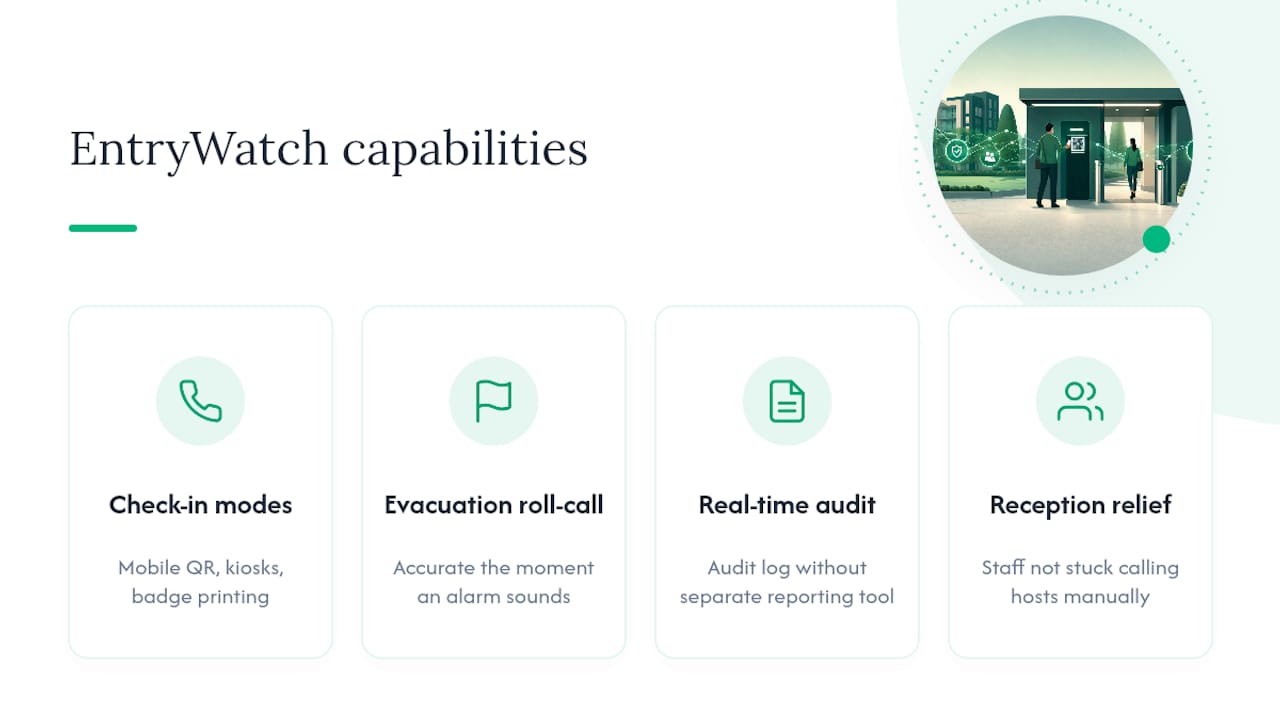
For sites juggling contractors, visitors, and staff across multiple entrances, the practical win is reception staff who aren’t stuck manually calling hosts, and a roll-call that’s accurate the moment an alarm sounds rather than five minutes after.
— Flipmind
Ready to Trial a QR-Code Sign-In System?
Every requirement covered in this checklist, mobile QR workflows, kiosk fallback, host notifications through Teams and Slack, badge printing, and a live audit log, is built into EntryWatch’s visitor management platform from the start, not bolted on as an upgrade.
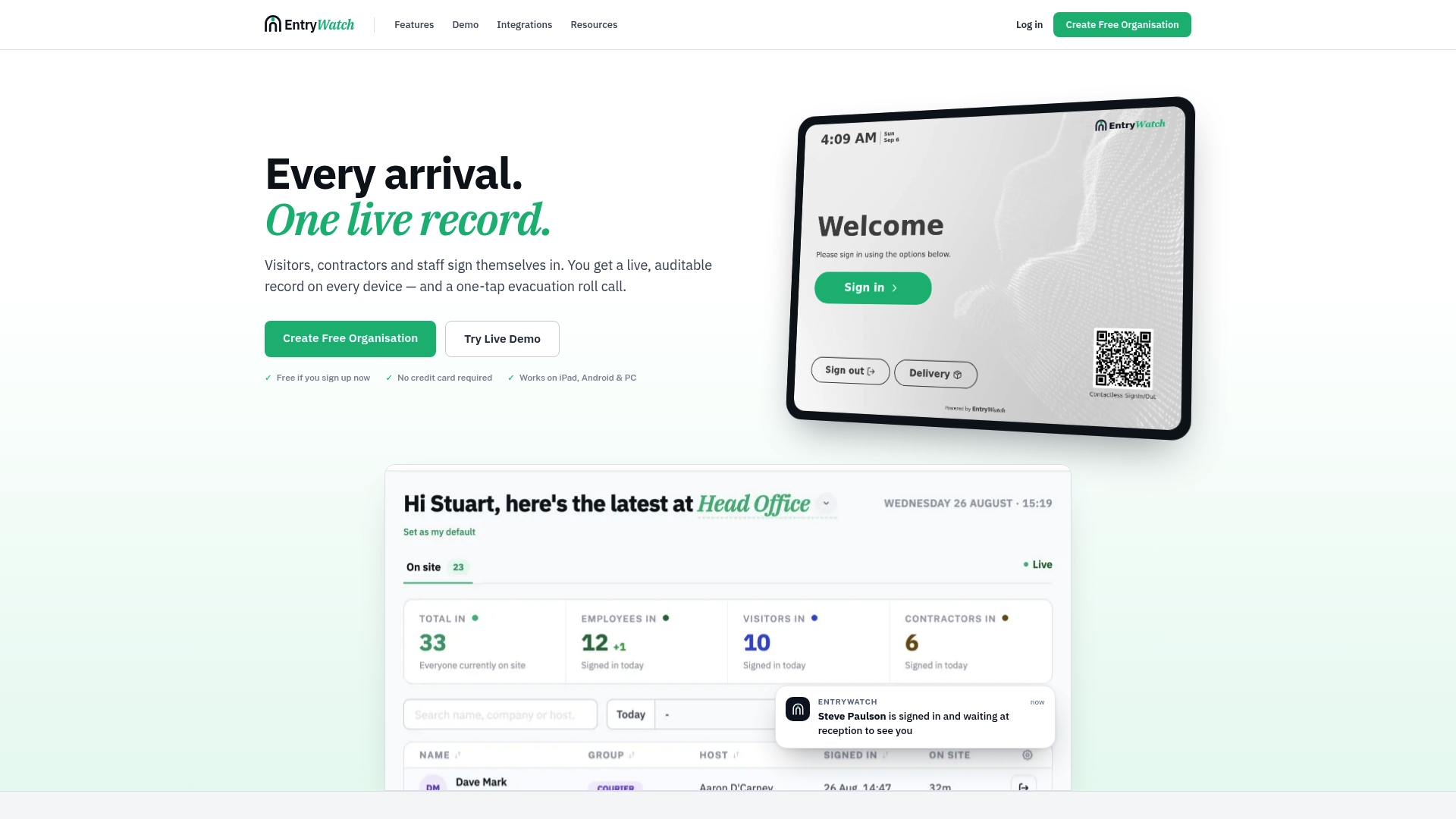
If you’re ready to move past paper logs or a shared tablet at reception, the fastest way to see if it fits your site is a short trial. Before you request a demo, pull together your busiest entrance’s daily visitor volume, your current NDA or health-form wording, and a list of the hosts who’ll need notifications. That’s enough for a productive first walkthrough of the mobile kiosk sign-in experience and the evacuation roll-call workflow. EntryWatch is free to trial, so there’s no procurement delay standing between your current process and a faster one.
Sources
- Top QR Code check-in systems (Joinit blog)
- Touchless Visitor Management Systems: A Complete Guide (Avigilon blog)
- Why facilities managers are replacing paper visitor logs with smart systems (Facilities Management Advisor)
FAQ
What Is QR-Code Sign-In for Visitors?
QR-code sign-in is a contactless check-in process where a visitor scans a code with their own phone, completes a short form, and gets logged into a real-time, searchable entry record.
How Is This Different From a Shared Sign-In Tablet?
A shared tablet still requires touching a common surface and typing on a device others have used, while QR-code sign-in happens entirely on the visitor’s own phone, and can fall back to a self-service kiosk when needed.
Can QR-Code Sign-In Handle Evacuation Roll-Call?
Yes. A properly configured system maintains a live occupancy register that a fire warden can pull instantly during a drill or real evacuation, and EntryWatch’s evacuation roll-call feature is built specifically for that reconciliation step.
Does QR-Code Sign-In Work Without Wi-Fi?
A production-ready kiosk should queue check-ins locally and sync once connectivity returns, rather than blocking entry entirely during an outage.
What Should Be in a QR-Code Sign-In Audit Log?
At minimum, capture the timestamp, visitor name, company, host, the specific form version acknowledged, and a photo or ID scan if your site requires one for compliance.