%20--%3e%3cdefs%3e%3cstyle%3e%20.st0%20{%20fill:%20none;%20stroke:%20%230f172a;%20stroke-linecap:%20round;%20stroke-width:%205.5px;%20}%20.st1%20{%20fill:%20%2310b981;%20}%20%3c/style%3e%3c/defs%3e%3cpath%20class='st0'%20d='M2.75,42.01v-20.12C2.75,11.32,11.32,2.75,21.89,2.75s19.14,8.57,19.14,19.14v20.12'/%3e%3cpath%20class='st0'%20d='M14.12,42.01v-13.62c0-4.29,3.48-7.78,7.78-7.78s7.78,3.48,7.78,7.78v13.62'/%3e%3ccircle%20class='st1'%20cx='21.89'%20cy='11.74'%20r='4.98'/%3e%3c/svg%3e)
Visitor Journey Mapping: Link Sign In to Evacuation for Site Managers

Visitor journey mapping, in operational terms, means charting every touchpoint from pre-arrival to sign-out and tying each one to a control, an induction requirement, and an evacuation record. The outcome you’re working toward is simple: retrievable, timestamped logs and tiered controls that match risk without slowing down legitimate visits. Standards from OSHA’s emergency action plan rules and the UK’s HSE guidance on visitor risk tiers both anchor this to one requirement: know who’s on site, and be able to prove it.
TL;DR:
- Most visitor journey maps should include pre-arrival registration, on-site induction, and sign-out procedures to ensure comprehensive safety and accountability.
- Tiered classification of visitors by risk and destination optimizes resource allocation, with low-risk guests receiving minimal controls and high-risk zones requiring full induction and escort policies.
- Sign-in logs must be accessible during emergencies via mobile or cloud systems to facilitate real-time roll-call verification, complying with federal safety standards.
- Visitor records should be retained for 30 to 90 days, with longer periods only for incidents or legal requirements, and require explicit consent and secure data handling.
- Continuous testing and monitoring, including drills and audits, ensure the visitor management system remains effective and compliant, with clear responsibility assigned to maintain oversight.
Table of Contents
- Quick Checklist: Stages Every Visitor Journey Must Include
- Tier Visitors by Destination and Risk
- How Do You Actually Map a Visitor Journey?
- How Does Sign-In Connect to Evacuation Accountability?
- Data Retention, Accessibility, and Privacy Rules
- Testing, Governance, and Continuous Improvement
- What Most Facilities Teams Get Wrong About Mapping
- Put This Map Into Practice With a Visitor Management Platform
- Sources
- FAQ
Quick Checklist: Stages Every Visitor Journey Must Include
A visitor journey map that skips a stage creates a gap somewhere else, usually at the worst possible moment. Here’s the sequence that holds up under an audit or an actual emergency:
- Pre-arrival: pre-registration, screening questions, and any required documentation collected before the visitor shows up.
- Arrival: ID check, photo capture where policy requires it, and a confirmed sign-in timestamp.
- Induction: a tiered briefing or a digital sign-off completed at the point of sign-in, not after.
- Access control: badge issuance, escort rules, and gating for restricted areas.
- On-site: location tracking or clear host accountability for the duration of the visit.
- Sign-out and retention: a timestamped exit record and a defined retention window.
Pre-registration and kiosk check-in also cut front-desk bottlenecks and raise induction completion rates compared to a paper sign-in book at reception.
Tier Visitors by Destination and Risk
Not every visitor needs the same level of scrutiny, and treating them all identically wastes staff time on low-risk guests while under-preparing high-risk ones. A tiered classification matched to destination and exposure is the most useful operational response available to facilities teams.
- Tier 1 (Low): reception, meeting rooms. Simple sign-in, a host escort or a brief orientation card.
- Tier 2 (Moderate): yards, loading bays. Documented induction, PPE issuance, designated walking routes.
- Tier 3 (High): production lines, confined spaces. Full induction, permit-to-work integration, continuous escort.
The tiers also protect you from a subtler problem: compliance fatigue. When every visitor sits through the same lengthy safety video regardless of where they’re going, people stop paying attention, and the briefing loses its effect exactly where it matters most. Match the induction to the destination, not to a one-size policy.
How Do You Actually Map a Visitor Journey?
Building a working visitor journey map is less about theory and more about walking your own site with a clipboard, or a tablet, and asking where things could go wrong. Reception procedures adapted to destination and risk are a good starting reference point, and security guidance on adjusting screening by exposure confirms the same principle from a physical security angle.
- Identify entry points and destination zones. List every door visitors can use, every zone they might reach, and the hazards and stakeholders tied to each one.
- Assign a tier to each destination. Decide whether induction happens pre-arrival, at a kiosk, or verbally at the door, based on the tier.
- List the data required at each touchpoint. Note what gets collected at sign-in, where it’s stored, and who can access it later.
- Define badge and escort rules. Set expiry times for badges, the triggers that require an escort, and which host is responsible for which visitor.
- Produce a flow diagram and test it. Sketch the path on one page, then run a table-top mock or a small pilot before rolling it out across the site.
Pro Tip: Don’t map your whole site on day one. Pilot the process at a single entry point with one kiosk, run it for two weeks, then expand once you’ve seen where visitors actually get stuck.
Digital induction delivery, whether video or interactive, gives you an auditable sign-off and handles multilingual sites better than a verbal briefing ever will.

How Does Sign-In Connect to Evacuation Accountability?
This is the step that separates a working visitor journey map from a paperwork exercise. A sign-in sheet sitting in a binder at reception is worthless during an actual evacuation, because nobody can carry it, read it, or cross-check it at the assembly point.
- Logs need to be mobile or cloud accessible so a warden can pull them up standing outside, not locked in a building nobody can re-enter.
- Automatic roll-call workflows should flag who’s confirmed at the assembly point and who’s still unaccounted for, in real time.
- Hosts and wardens need clear, assigned responsibility for verifying their own visitors, not a vague expectation that “someone” will check.
- Run a drill and time it: can your team retrieve and verify the full roster within the all-clear window, or does it take longer than anyone wants to admit?
Federal guidance is explicit on this point. OSHA’s 1910.38 standard requires emergency action plans to include procedures for accounting for everyone after evacuation, and CISA’s occupant emergency program guidance recommends badge-in/badge-out reporting specifically because paper logs fail under pressure.
Data Retention, Accessibility, and Privacy Rules
Visitor records carry legal weight, and how you store them matters as much as how you collect them. Keep the dataset to what you actually need for safety and access purposes. Loading up sign-in forms with unnecessary fields creates risk without adding any operational value.
- A 30 to 90 day retention window is common for routine visitor logs, with longer retention reserved for records tied to an incident or legal hold.
- Capture explicit consent at sign-in, and treat any photo or biometric data with tighter storage and access controls than standard contact details.
- Kiosks need to meet accessibility standards. The 2010 ADA Standards require interactive controls no higher than 48 inches with clear approach space, and multilingual delivery matters wherever your visitor base isn’t uniformly English speaking.
- Extend retention only when a record is connected to an incident, a claim, or an active investigation, not by default.
Accessibility and retention settings are two of the details teams most often skip during a fast rollout, and both come back as rework later if you get them wrong the first time.
Testing, Governance, and Continuous Improvement
A visitor journey map that’s never been stress-tested isn’t a finished system. It’s a guess. Build a short governance program around it and check it regularly.
- Run a tabletop exercise, then a full drill, and time exactly how long it takes to retrieve and verify the roster.
- Track three numbers: sign-in completion rate, induction completion rate, and roll-call verification time.
- Audit annually for induction evidence, clear host accountability, and an up-to-date retention policy.
- Assign an owner for the whole process, with quarterly reviews and one full annual audit.
Pro Tip: If your roll-call verification time creeps up quarter over quarter, that’s usually a sign your kiosk or sign-in step has gotten more complicated, not that your staff are getting slower.
What Most Facilities Teams Get Wrong About Mapping
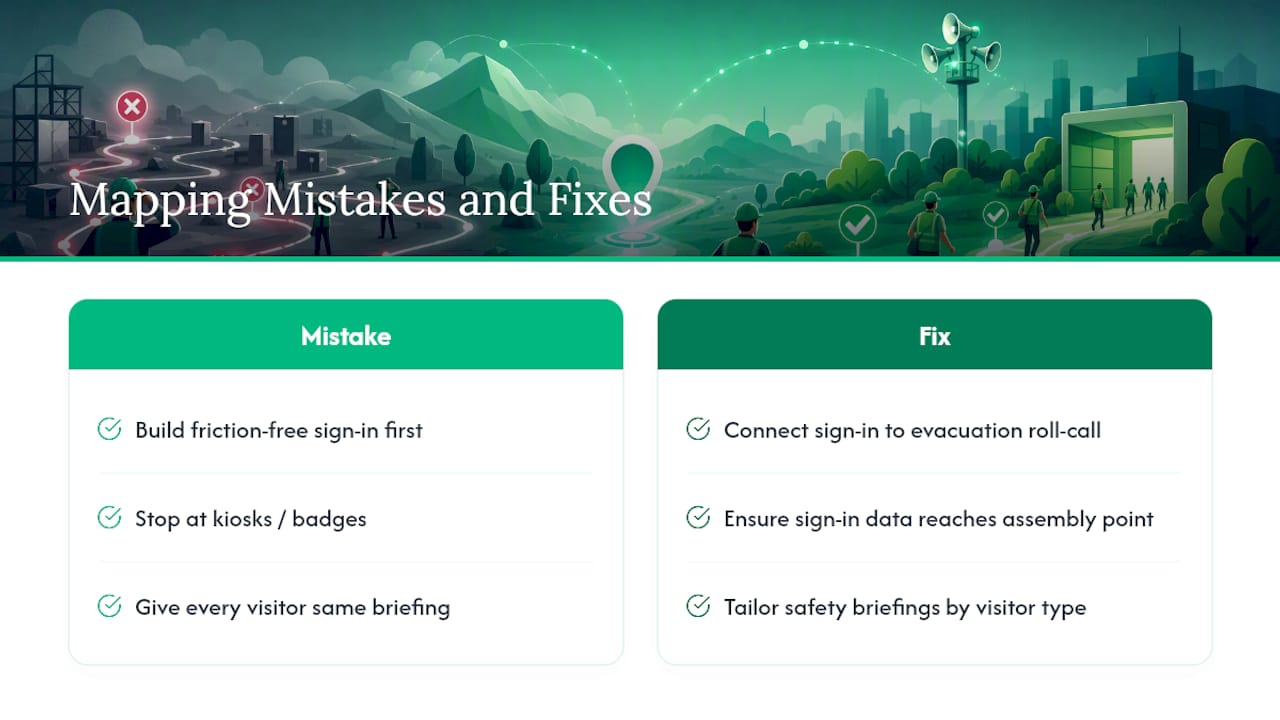
The temptation is to build the friction-free version first: pre-registration, kiosks, fast badge printing, and stop there. That’s the easy half of the job. The harder half, and the part that actually protects people, is making sure that same sign-in data shows up correctly at the assembly point when it counts.
If you only fix one thing this year, connect sign-in to evacuation roll-call. It’s the single highest-leverage change in the whole map. And resist the urge to give every visitor the same 15-minute safety briefing. A contractor heading into a confined space needs it. A courier dropping off a package at reception does not, and forcing it on them just trains people to tune out the parts that matter.
— Flipmind
Put This Map Into Practice With a Visitor Management Platform
Building the map is the planning work. Running it every day, on every shift, is where most manual systems fall apart. EntryWatch is built around the exact stages covered here: self-service kiosks handle pre-arrival and sign-in without a queue at reception, badge printing handles access control at the point of check-in, and every entry lands in an auditable log a warden can pull up during an evacuation roll-call instead of hunting for a paper sheet.
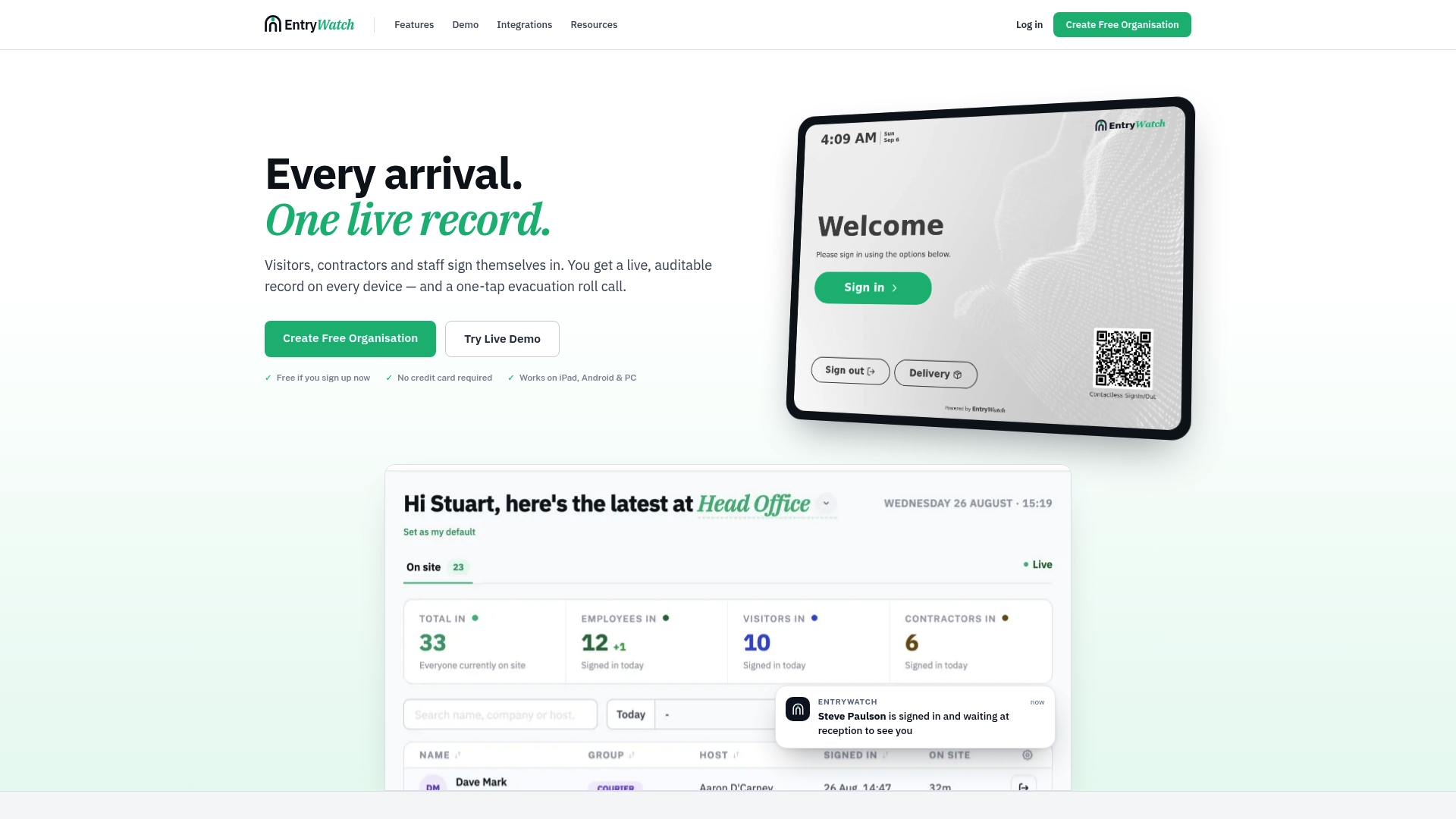
Offices, logistics sites, and venues tend to see the fastest results because their visitor volume makes manual tracking painful long before it makes a compliance case obvious. If you’re weighing where to start, run the same pilot recommended earlier in this guide: one entry point, one kiosk, and one drill to measure how fast your roster comes back complete. Set up a visitor management system for that single location and time the retrieval yourself before deciding to expand it site-wide.
Sources
- Occupant Emergency Programs: An ISC Guide - 2024 Edition
- Visitor safety management: risk tiers & controls
- Visitor Management Guidelines: Security, Access, and Privacy - LegalClarity
- 1910.38 - Emergency action plans.
FAQ
What Is Visitor Journey Mapping in an Operational Context?
It’s the process of charting every step a visitor takes on site, from pre-arrival registration to sign-out, and tying each step to an access control, an induction requirement, or an evacuation record.
How Do You Tier Visitors by Risk?
Classify destinations as low, moderate, or high exposure, then match the control to the tier: simple sign-in for reception guests, documented induction and PPE for yards or loading bays, and full induction with continuous escort for high-hazard zones like confined spaces.
Why Do Paper Sign-In Logs Fail During Evacuations?
They’re usually left at a reception desk that people can’t re-enter during an emergency, which is why federal guidance recommends mobile or cloud-accessible logs that a warden can check at the assembly point.
How Long Should Visitor Records Be Retained?
Most organizations keep routine visitor logs for 30 to 90 days, extending retention only for records connected to an incident, claim, or legal hold.
Can EntryWatch Handle Tiered Visitor Inductions?
Yes. EntryWatch supports digital forms and kiosk-based sign-off that can be configured per destination, so a reception guest and a contractor heading into a restricted area get different induction steps at the same sign-in point.