%20--%3e%3cdefs%3e%3cstyle%3e%20.st0%20{%20fill:%20none;%20stroke:%20%230f172a;%20stroke-linecap:%20round;%20stroke-width:%205.5px;%20}%20.st1%20{%20fill:%20%2310b981;%20}%20%3c/style%3e%3c/defs%3e%3cpath%20class='st0'%20d='M2.75,42.01v-20.12C2.75,11.32,11.32,2.75,21.89,2.75s19.14,8.57,19.14,19.14v20.12'/%3e%3cpath%20class='st0'%20d='M14.12,42.01v-13.62c0-4.29,3.48-7.78,7.78-7.78s7.78,3.48,7.78,7.78v13.62'/%3e%3ccircle%20class='st1'%20cx='21.89'%20cy='11.74'%20r='4.98'/%3e%3c/svg%3e)
Buy Front Desk Automation That Works Offline: Operations Checklist

Front desk automation means visitor-management automation: contactless and self-service sign-in, badge printing, digital forms, auditable entry logs, and emergency roll-call, all running without a receptionist manually logging names on paper. The immediate action for any buyer is to shortlist vendors that explicitly support kiosk check-in, offline resilience, access-control integration, and real-time evacuation muster before comparing price or design.
TL;DR:
- Support for offline check-in and muster list generation is essential for ensuring evacuation safety during network outages.
- Vendors should clearly demonstrate seamless integration with access control, identity providers, and communication channels to avoid gaps in security and notification.
- A quick, under 60-second check-in time for pre-registered visitors and reliable host alerts are key benchmarks for effective system performance.
- Features like digital expiry tracking, on-demand badge printing, and audit logs are critical for maintaining compliance and record accuracy.
- A complete visitor management solution should be scalable, user-friendly, and able to work with existing security infrastructure, not stand alone.
Table of Contents
- Why Front Desk Automation Pays Off in Daily Operations
- Core Features Workplaces, Healthcare Sites, and Logistics Hubs Actually Need
- How Integration and Offline Resilience Protect Your Site
- What Questions Should You Ask During Procurement?
- Rolling Out Front Desk Automation: A Go-Live Checklist
- What We’ve Learned From Watching This Space Evolve
- How EntryWatch Fits the Checklist You Just Built
- Sources
- FAQ
Why Front Desk Automation Pays Off in Daily Operations
Replacing a paper sign-in book changes more than aesthetics. A visitor management system that supports pre-registration and QR-based check-in cuts the time a visitor spends at reception, since most of the data entry happens before they ever arrive on site.
That speed shows up in measurable ways once the system is live:
- Faster check-in. Pre-registered visitors scan a QR code and walk in, cutting reception queues at busy shift changes or clinic opening hours.
- Cleaner compliance records. Every sign-in, form submission, and badge print becomes a timestamped, searchable record for audits, incident investigations, or contractor verification.
- Faster emergency accounting. A live occupancy register lets wardens pull an accurate headcount instead of guessing who is still inside during a drill or a real evacuation.
- Better contractor compliance. Digital inductions and health declarations get completed before arrival, so a contractor without valid certification never reaches the floor.
The common thread is that automation moves compliance work earlier, before the visitor is standing at your desk holding up the line behind them.
Core Features Workplaces, Healthcare Sites, and Logistics Hubs Actually Need
Not every visitor system is built for a hospital ward or a loading dock. Before you sign anything, confirm the platform covers this baseline:
- Self-service kiosk and mobile QR check-in. Look for touch-free options and accessible interfaces (larger text, audio prompts) for visitors who can’t use a touchscreen easily.
- Digital forms with expiry tracking. NDAs, health declarations, and induction records need automatic expiry dates so an outdated certification doesn’t slip through.
- On-demand badge printing. Visitors and contractors should get a printed, dated credential that’s easy for staff to check at a glance.
- Evacuation roll-call on mobile. Wardens need a muster list they can pull up on a phone, not a printout from that morning.
- Access control and identity-platform integration. The system should talk to your door hardware and directory service, not sit as a disconnected app.
- Audit logs and retention controls. Admins need to set how long records are kept and export them cleanly when compliance asks.
Pro Tip: Touchless check-in, cloud scalability, and open APIs are now standard buyer expectations rather than premium add-ons, according to industry coverage of visitor management trends. If a vendor treats any of those as a future roadmap item, treat that as a warning sign, not a feature you’ll get later.
A kiosk built around mobile sign-in with badge printing on the same device removes an entire hardware handoff that slows most legacy setups down.
How Integration and Offline Resilience Protect Your Site
A visitor system that lives in isolation from your other security tools creates more work, not less. The strongest deployments treat front desk automation as one piece of a larger operational stack, tied into access control, CCTV, and identity management so a single check-in event can trigger a door unlock, a host alert, and a log entry at the same time.
That kind of integration-first design reduces manual handoffs and closes gaps that standalone kiosks tend to leave open. Host notifications matter here too. A visitor arriving should trigger an alert through email, SMS, Teams, or Slack, whichever channel your staff actually watch, so nobody is left refreshing a dashboard.
Offline behavior deserves its own line of questioning during procurement:
- Confirm check-ins queue locally and sync automatically once connectivity returns, rather than failing silently.
- Confirm muster lists can generate from local storage during an outage, since an evacuation is exactly when your network is most likely to be unreliable.
- Treat evacuation muster as a real-time requirement; visitor analytics and reporting can reasonably sync later.
Pro Tip: Ask a vendor to simulate a network outage during the demo. If the kiosk stops taking check-ins, or nobody can produce a muster list without Wi-Fi, you’ve found your answer.
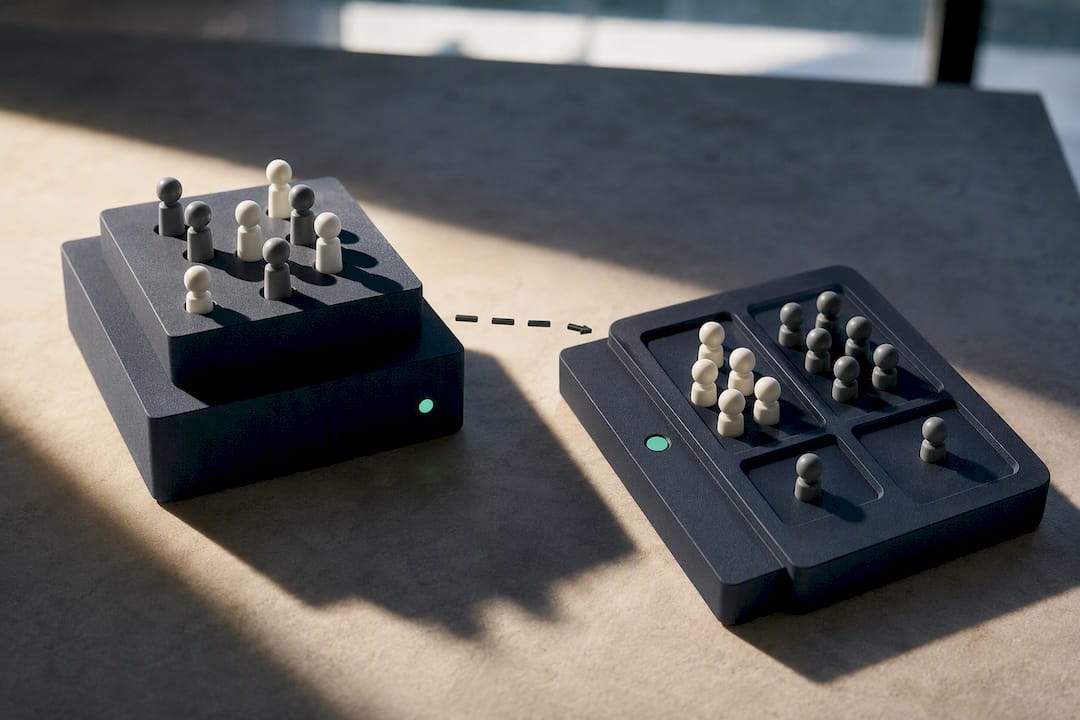
A dedicated evacuation roll-call feature built to work offline is worth more than a longer feature list that only works when everything else does too.
What Questions Should You Ask During Procurement?
Most vendor demos are polished. Your job is to ask questions that break the polish and expose how the system behaves under real conditions.
- Ask about integrations first. Which access control platforms, identity providers (Microsoft Entra ID, Google Workspace), and communication tools does the system connect to natively, versus through a custom build?
- Get specific on offline mode. What exactly happens during a connectivity loss, and can the vendor show it live rather than describe it?
- Confirm data residency and export. Where is visitor data stored, how long is it retained by default, and how easily can you export a full audit trail?
- Check throughput under load. How many check-ins per minute can a single kiosk realistically handle during a shift-change rush or a conference arrival wave?
- Clarify the commercial structure. Is pricing per kiosk, per site, or per user, and are hardware, training, and implementation billed separately from the subscription?
- Watch for the red flags. No documented offline mode, no ability to prove muster-list accuracy in a live test, and vague SLA language on data recovery are all reasons to keep looking. A comparison-focused buyer’s guide is a useful sanity check against a vendor’s own claims.
Rolling Out Front Desk Automation: A Go-Live Checklist
A good rollout plan is short and specific, not a six-month project.
- Pick your hardware. Decide between a tablet, a rugged floor kiosk, or phone-based QR check-in for each entry point, and match a badge printer to your expected visitor volume.
- Build your templates. Set up visitor categories and pre-registration forms, and have legal review any compliance documents like NDAs or health declarations before launch.
- Connect your notification channels. Test that host alerts actually land in Teams, Slack, or SMS, and that staff know how to respond.
- Run a live muster test. Trigger a mock evacuation and time how long it takes to get a complete, accurate headcount.
- Train staff on the fallback. Confirm your team knows the manual sign-in procedure for the rare moment the system, or the internet, goes down.
Pro Tip: A useful pilot target is a quick check-in time for pre-registered visitors and a clear, timed benchmark for host-notification response, according to procurement guidance from IT buyers. If your pilot can’t hit those numbers, something in the setup needs adjusting before full rollout.
What We’ve Learned From Watching This Space Evolve
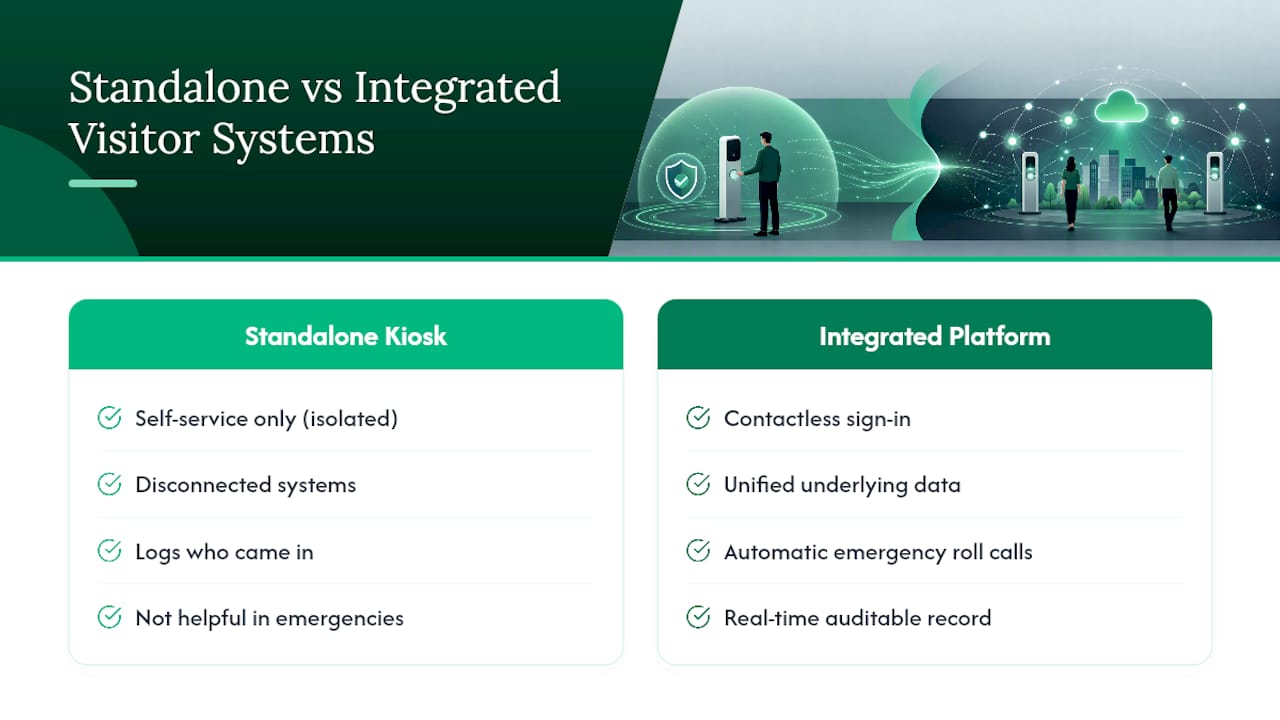
The biggest mistake operations teams make is treating a visitor kiosk as a standalone reception gadget instead of a safety and security tool. EntryWatch was built around that distinction: self-service kiosks, contactless sign-in, automatic emergency roll calls, and a real-time, auditable record all work from the same underlying data, not four disconnected systems bolted together.
Integrating your visitor platform with access control and communications isn’t a nice-to-have layered on top. It’s the difference between a system that logs who came in and one that actually helps you account for everyone during an emergency.
— Flipmind
How EntryWatch Fits the Checklist You Just Built
This visitor management platform is built around a checklist operations teams need for high-traffic, high-risk sites: self-service kiosk and mobile sign-in, on-demand badge printing, digital forms with expiry tracking, and automatic evacuation roll-call that works from a live, auditable record.
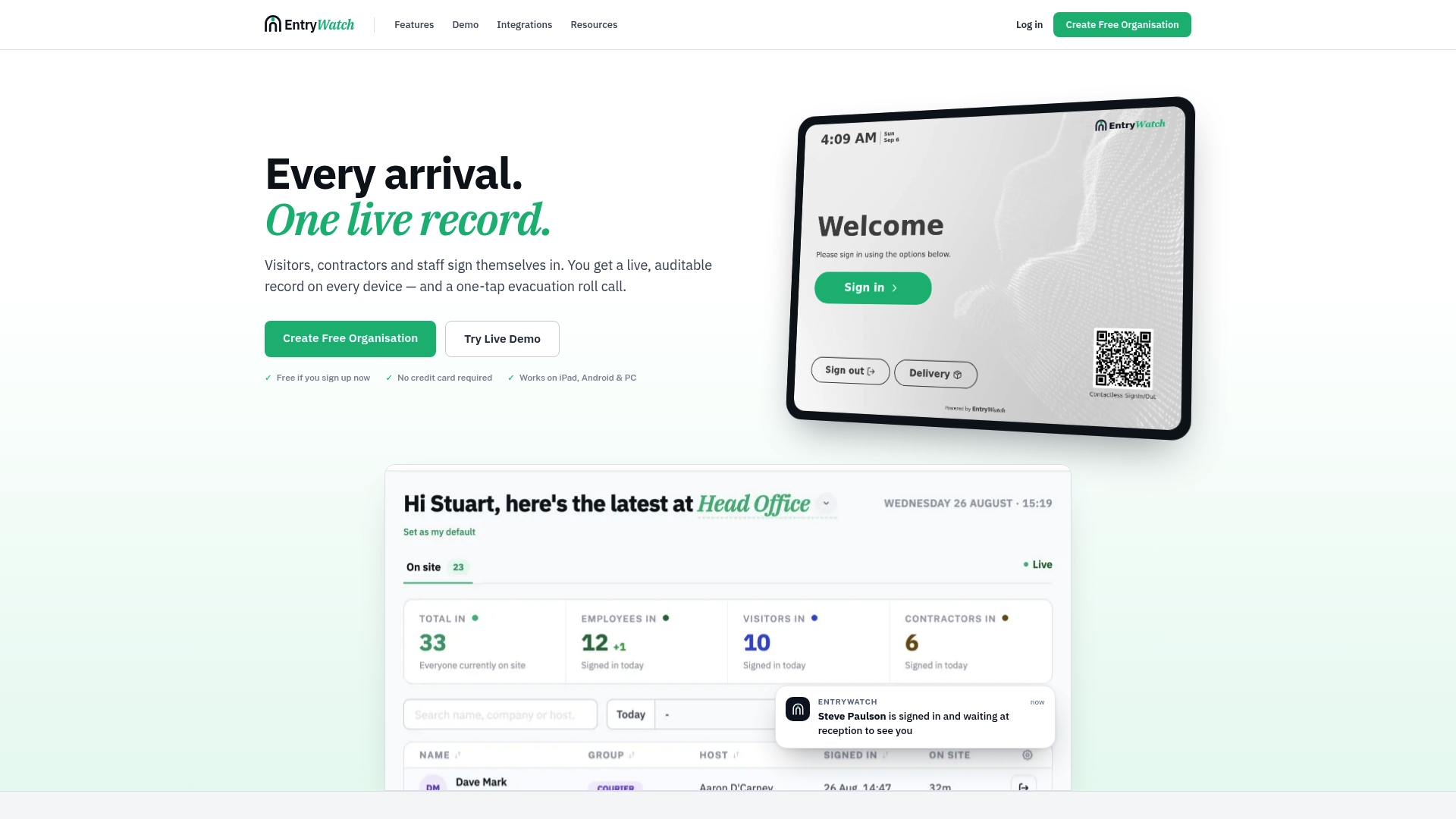
Where legacy paper logs or basic sign-in apps stop at capturing a name, this system ties that same check-in event to host notifications, access-control workflows, and a real-time occupancy register that wardens can trust during a drill or an actual evacuation. If you’re evaluating access-control tie-ins as part of a broader security upgrade, a access control installation partner can help map the physical side while EntryWatch handles the visitor layer.
The next step is straightforward: request a demo of the visitor management system and walk your own site’s evacuation scenario through it before you commit to a pilot.
Sources
For deeper detail on the trends and standards referenced above, see SDM Magazine’s piece on rethinking visitor management, the Safety Space guide to visitor management systems, and the FacilityOS guide for facilities managers. EntryWatch’s own feature pages cover implementation specifics for kiosks, badge printing, and roll-call.
- Is it Time to Rethink Visitor Management? | SDM Magazine
- A Practical Guide to Visitor Management Systems in 2026 | Safety Space
FAQ
What Is Front Desk Automation in a Workplace Setting?
It’s a visitor-management system that automates contactless sign-in, badge printing, digital forms, and emergency roll-call, replacing manual paper logs at reception.
Does Front Desk Automation Work Without Internet Access?
Reliable systems queue check-ins locally during an outage and sync once connectivity returns; you should confirm this behavior in a live demo before buying, per Avigilon’s guidance on kiosk resilience.
How Fast Should Check-In Be for Pre-Registered Visitors?
A useful pilot benchmark is under 60 seconds per pre-registered visitor, based on IT buyer procurement guidance.
Can Front Desk Automation Improve Emergency Evacuation Response?
Yes. A digital, real-time muster list cuts the time it takes wardens to confirm everyone is accounted for, compared to a paper sign-in sheet, according to FacilityOS. EntryWatch’s evacuation roll-call feature is built specifically around this real-time requirement.
What Should I Ask a Vendor About Integrations?
Ask exactly which access control platforms, identity providers, and communication tools (Teams, Slack, SMS) the system connects to natively, rather than through a custom-built workaround.