%20--%3e%3cdefs%3e%3cstyle%3e%20.st0%20{%20fill:%20none;%20stroke:%20%230f172a;%20stroke-linecap:%20round;%20stroke-width:%205.5px;%20}%20.st1%20{%20fill:%20%2310b981;%20}%20%3c/style%3e%3c/defs%3e%3cpath%20class='st0'%20d='M2.75,42.01v-20.12C2.75,11.32,11.32,2.75,21.89,2.75s19.14,8.57,19.14,19.14v20.12'/%3e%3cpath%20class='st0'%20d='M14.12,42.01v-13.62c0-4.29,3.48-7.78,7.78-7.78s7.78,3.48,7.78,7.78v13.62'/%3e%3ccircle%20class='st1'%20cx='21.89'%20cy='11.74'%20r='4.98'/%3e%3c/svg%3e)
Kiosk Enclosures for Facilities: The 30 by 48 Inch Access Check

Choose an accessible, lockable pedestal or wall-mount enclosure that supports badge printing, secure cable routing, and kiosk-mode compatible hardware. The right enclosure needs reach ranges that meet Access Board operability standards, tamper-resistant panels, and clear floor space for every visitor who signs in. We outline the checklist below and mention turnkey options available that include evacuation roll call and badge printing.
TL;DR:
- Specify controls between 15 and 48 inches high, about 30 by 48 inches of clear floor space, and speech or tactile access features.
- If only part of the fleet will include full audio and tactile access, identify those units explicitly in the request for proposals.
- Use wired Ethernet with VLAN separation, keep Wi Fi as backup, and size a UPS to sustain sign in and badge printing through short outages.
- Before installation, test the printer, scanner, camera, locks, backup power, and evacuation roll call, including at least one test with the network disconnected.
- Choose metal for busy or exposed sites, but verify ingress protection, seals, and operating temperature; supervised low traffic offices can use reinforced plastic.
Table of Contents
- Quick selection checklist for kiosk enclosures
- Accessibility and compliance essentials for your specs
- Placement, mounting, power, and network planning
- Hardware integrations: printers, scanners, cameras, and stands
- Security, device lockdown, and data handling
- Installation, commissioning, and maintenance checklist
- Cleaning and sanitization protocols for kiosk enclosures
- Compliance with fire and safety codes for kiosk enclosures
- Material and durability options for kiosk enclosures
- Design and aesthetics considerations for different environments
- Operational tradeoffs and priorities worth weighing
- How EntryWatch meets kiosk enclosure and workflow needs
- FAQ
- Sources
Quick selection checklist for kiosk enclosures
Before you request quotes, screen every enclosure against a short pass or fail list. This keeps procurement focused and avoids costly retrofits once a unit is already on site.
- Size and mount type: wall mount for tight lobbies, desk mount for staffed reception areas, pedestal for open floor placement with higher visibility.
- Accessibility: confirm forward and side reach ranges and clear floor space on site, not just on the spec sheet.
- Environmental rating: check for vandal resistance and a suitable ingress rating if the unit sits near entrances, loading docks, or semi-exposed lobbies.
- Peripheral support: verify USB, serial, or Ethernet interfaces for badge printers, scanners, and cameras.
- Security and service access: require lockable panels, tamper detection, and restricted admin controls.
- Power and network: decide between Power over Ethernet and a dedicated outlet, and plan for a UPS or cellular backup.
- Serviceability: confirm whether consumables and components load from the front or rear.
Accessibility and compliance essentials for your specs
Accessibility requirements for self-service kiosks are still evolving, but the direction is clear enough to write into procurement language today. The Access Board’s ANPRM on self-service transaction machines recommends speech output, tactile controls, and clear floor space of roughly 30 by 48 inches in front of each unit.
When you write the spec, include these points in order:
- Require operable parts within a reach range matching Access Board guidance of approximately 15 to 48 inches from the floor, matching Access Board guidance on operable parts.
- Specify forward approach where side approach is obstructed, and confirm knee and toe clearance if the unit anticipates seated use.
- Require speech output or a headphone jack, plus tactile input or an alternative input path for visitors who cannot use a touchscreen.
- Specify screen contrast and legibility standards, with visibility confirmed from a seated line of sight per Section 508 kiosk guidance.
- Reference ISO/IEC 20071-31:2026 in the RFP as the accessibility standard the vendor must demonstrate compliance against.
A reach range of 15 to 48 inches governs where every button, slot, and screen control sits on a compliant kiosk, according to Access Board operable parts guidance. That range decides mounting height before you ever pick a finish or color.
Some sectors equip only a portion of their kiosk fleet with full tactile and audio features rather than every unit, an approach the Kiosk Industry security and compliance FAQ describes as common in ATM-style deployments. If you plan to follow that pattern, state explicitly in your RFP which units require full accessibility hardware and which do not.
Placement, mounting, power, and network planning
Where you put the kiosk matters as much as what it is made of. A wall mount suits narrow lobbies and reduces footprint, a countertop unit works where staff supervise sign-in, and a freestanding pedestal gives the best visibility in open reception areas with heavy foot traffic.
- Test clear floor space on site: confirm roughly 30 by 48 inches in front of the unit, and check knee and toe clearance if seated access is expected.
- Place power outlets within reach of the mounting point, and confirm whether Power over Ethernet removes the need for a dedicated outlet.
- Size a UPS to cover sign-in and badge printing through a short outage, and locate it where staff can service it without disturbing the kiosk.
- Prefer wired Ethernet with VLAN segmentation for the primary connection, keep Wi-Fi as a secondary path, and add cellular fallback for sites prone to outages.
- Route cables through conduit rather than loose runs, and strip only the length needed at each termination point.
Pro Tip: Walk the proposed site with a tape measure before you finalize mounting height. Spec sheets rarely account for door swing, furniture, or a reception desk that narrows the approach.
Hardware integrations: printers, scanners, cameras, and stands
The enclosure has to physically accommodate every peripheral your sign-in workflow needs, not just the touchscreen. Badge printer slots should protrude enough for easy retrieval, typically in the 25 to 30 millimeter range recommended in Canadian kiosk implementation guidance, with removal force kept low enough for one-handed use.
- Confirm the enclosure supports USB, serial, or Ethernet connections for thermal badge printers, with a dedicated cable access point that keeps wiring out of sight.
- Position barcode and QR scanners at a height and angle that reads codes reliably without the visitor bending or reaching awkwardly.
- Mount cameras where they capture a clear facial image without glare from overhead lighting or direct sun through nearby glass.
- Anchor freestanding pedestals to the floor with anti-tip hardware, especially in high traffic lobbies or warehouse entrances.
- Confirm the enclosure design works with kiosk stands and badge printers you plan to install, since retrofit brackets rarely match an enclosure built for a different printer model.
Sites that need flexibility rather than a fixed install can run mobile kiosk sign-in on an iPad or Android tablet instead of a dedicated enclosure, which works well for temporary reception setups or satellite entrances.
Security, device lockdown, and data handling
Treat the kiosk as a managed endpoint, not just furniture with a screen attached. The Kiosk Industry security and compliance FAQ recommends hardened OS builds, locked-down kiosk software, and authenticated provisioning for every admin action.
- Run the kiosk in a locked-down mode that prevents visitors from reaching the underlying operating system or other apps.
- Require authenticated access for any configuration change, and log who made it and when.
- Specify tamper-resistant panels with lockable service access, and consider tamper switches for high-risk locations.
- Encrypt data in transit with TLS, minimize what the kiosk stores locally, and set a clear log retention policy.
- Build a patch and monitoring cadence into the service contract, including scheduled update windows and a basic incident response plan.
Installation, commissioning, and maintenance checklist
A smooth go-live depends on groundwork done before the kiosk arrives, and a maintenance rhythm that keeps it compliant afterward.
- Survey the site first: measure clear floor space, confirm power and network feed locations, and mark mounting anchor points.
- Commission the unit against your spec: verify reach ranges and clear floor space, test the printer, scanner, and camera, confirm backup power, and check that every lock engages properly.
- Test emergency workflows before go-live, including evacuation roll call and host notifications; EntryWatch’s visitor management features include an Offline Evacuation Roll Call built for exactly this kind of test.
- Set a recurring schedule: daily visual checks, weekly consumable restocking, monthly security and patch review, and an annual accessibility walkthrough.
Pro Tip: Run the evacuation roll call test with the network disconnected at least once before go-live. An evacuation workflow that only works online is not one you can rely on during a real outage.
Cleaning and sanitization protocols for kiosk enclosures
Shared touchscreens see dozens or hundreds of hands a day, and cleaning routines matter for both hygiene and hardware longevity. Choose an enclosure with a screen surface rated for alcohol-based disinfectants, since some coatings degrade under repeated harsh chemical contact.
Set a daily wipe-down schedule for the touchscreen, keypad, and any handrail or counter surface near the unit, using a microfiber cloth and a disinfectant approved for electronics. Avoid spraying liquid directly onto the screen or into seams around buttons and ports, since moisture that reaches internal components can cause corrosion or short circuits over time.

For high traffic sites such as healthcare waiting rooms or warehouse entrances, consider placing a hand sanitizer dispenser next to the kiosk rather than relying on cleaning frequency alone. Touchless sign-in options, including QR code check-in, reduce how often the screen is touched at all and can lower cleaning demand without changing the enclosure itself.
Train reception or facilities staff on the specific cleaning product approved for your kiosk model, since an incompatible chemical can void a warranty or damage a touch-sensitive coating faster than normal wear would. Keep a simple log of cleaning times, the same way you would log any other recurring facility task, so you can show consistency if a health and safety audit asks for it.
Compliance with fire and safety codes for kiosk enclosures
A kiosk enclosure is a fixture in your building, and it needs to meet the same fire and life safety expectations as any other fixed equipment near an entrance or egress path. Confirm with your facilities or fire safety officer that the kiosk does not obstruct a required exit route, fire extinguisher cabinet, or emergency pull station.
Check that the enclosure’s materials and any internal wiring meet the flammability and electrical standards your local building and fire code require for fixed equipment, and ask your vendor for documentation rather than assuming compliance. Cable runs should be enclosed and routed away from heat sources, and any power strip or UPS inside the enclosure should be rated for continuous use, not just intermittent household loads.
If the kiosk sits in or near a corridor that counts toward egress width, measure the remaining clear path after installation, not before, since a pedestal with a wide base can quietly narrow a hallway below code minimums. Where kiosks are part of an emergency sign-in and roll call workflow, as with EntryWatch’s visitor management system, confirm that the unit and its backup power can keep logging arrivals during the early stages of an evacuation, which matters for accurate headcounts at the assembly point.
Keep a copy of the enclosure’s safety documentation on file with your other fixture records, and revisit it whenever your fire marshal or safety officer updates local code requirements.
Material and durability options for kiosk enclosures
The enclosure material you choose should match the environment the kiosk lives in, not just the look you want in the lobby. Powder-coated steel and aluminum enclosures hold up well in high traffic areas, warehouses, and semi-exposed entrances, resisting dents and scratches better than injection-molded plastic.
Reinforced plastic enclosures cost less and work fine in low traffic office reception areas where vandalism risk is minimal and the unit sits under staff supervision for most of the day. For outdoor or semi-exposed placements, such as a covered loading dock entrance, look for an enclosure with a stated ingress protection rating that addresses dust and moisture, along with UV-resistant coatings that prevent plastic components from yellowing or becoming brittle over time.

Weatherproofing extends beyond the outer shell. Check seals around the touchscreen, printer slot, and any cable entry point, since a gap in any one of these lets moisture or dust reach internal electronics even when the main housing is rated for outdoor use. Vandal-resistant glass or polycarbonate screen covers add a layer of protection in unsupervised public areas without blocking touch sensitivity.
Metal enclosures generally cost more upfront but need fewer replacements over a multi-year deployment, which matters when you are budgeting for a fleet of kiosks across several sites rather than a single unit. Ask any vendor for the enclosure’s rated operating temperature range as well, particularly if the kiosk sits near an entrance that sees direct sun or winter drafts, since touchscreens and printers can behave unpredictably outside their rated range.
Design and aesthetics considerations for different environments
A kiosk enclosure should fit the space it sits in, both practically and visually, since a mismatched unit can make a reception area feel cluttered or out of place. A healthcare waiting room benefits from a calmer, rounded enclosure finish that feels less clinical, while a logistics warehouse entrance can take a more utilitarian metal pedestal built for durability over polish.
Branding matters for visitor-facing deployments. A custom wrap or branded bezel around the screen reinforces that the kiosk belongs to your organization rather than looking like a generic terminal, which can ease visitor trust at first contact. Keep branding elements clear of the screen’s active area and any required accessibility labeling, since a decorative overlay should never interfere with tactile controls or audio jacks.
Color and finish choices also affect perceived wait times. A well-lit, clearly signed kiosk near the entrance reads as efficient, while a poorly lit unit tucked in a corner can make visitors assume it is broken or out of service even when it works fine. Consider sightlines from the main entrance and from a seated reception desk when you choose both placement and finish, so the kiosk reads as an intentional part of the space rather than an afterthought.
Operational tradeoffs and priorities worth weighing
Tamper resistance and easy serviceability pull in opposite directions, and most facilities teams eventually choose more serviceability than they first planned, because a locked panel that takes twenty minutes to open becomes a problem the first time a printer jams during a busy morning.
Auditable sign-in logs and an evacuation roll call that keeps working offline matter more than screen size or finish during an actual incident. Before you sign a purchase order, ask any vendor to demonstrate accessibility and security features live, not just describe them in a brochure.
— Flipmind
How EntryWatch meets kiosk enclosure and workflow needs
We built EntryWatch around the operational reality this guide describes: an enclosure is only as useful as the sign-in, evacuation, and integration workflow running inside it. Our self-service kiosk capability eliminates reception queues while keeping a real-time, auditable record of every visitor, contractor, and employee who signs in.
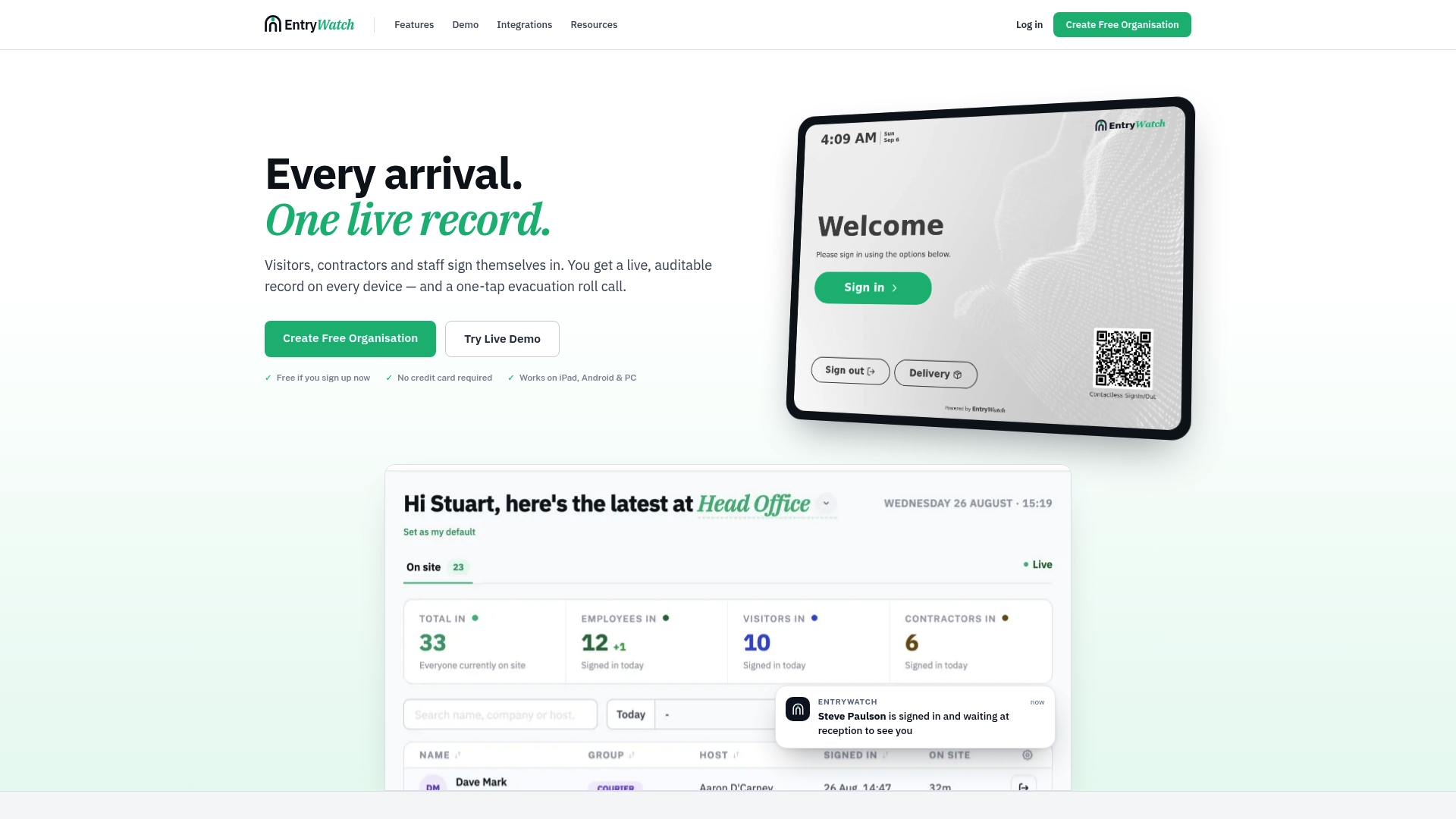
- We resell kiosk stands and badge printers so your enclosure, printer, and software come from one accountable procurement line rather than three separate vendors.
- Our mobile kiosk sign-in runs on iPad and Android for sites that need a flexible or temporary setup instead of a fixed enclosure.
- Our Offline Evacuation Roll Call keeps emergency accountability working even when the network drops, which matters more than any cosmetic feature during a real evacuation.
- We integrate with everyday tools including Microsoft Entra ID, Google Workspace, Teams, and Slack for host notifications.
As a founding customer, every feature is included free until 2027. Visit EntryWatch to see the full visitor management system and check pricing for your site.
FAQ
What size clear floor space does a kiosk need?
Plan for roughly 30 inches by 48 inches of clear floor space directly in front of the unit, per Access Board guidance. Confirm this measurement on site rather than relying on a floor plan, since furniture and door swing often reduce the usable space.
What reach range should kiosk controls sit within?
Operable parts should sit between 15 inches and 48 inches from the floor, based on Access Board operable parts guidance. This range governs touchscreen height, button placement, and badge printer slot position.
Does a kiosk need audio output for accessibility?
Yes, speech output or a headphone jack is recommended for visitors who cannot read or see the screen clearly, per Section 508 kiosk guidance. Some deployments equip only part of a kiosk fleet with full audio and tactile features, so your procurement language should specify which units require it.
How do we keep a kiosk secure against tampering?
Require a hardened kiosk mode, lockable service panels, and authenticated admin access, following guidance from the Kiosk Industry security and compliance FAQ. Pair that with encrypted data transport and a regular patching schedule.
Can EntryWatch keep logging visitors during a power or network outage?
The offline evacuation roll call feature is designed to keep working during outages so an accurate headcount can be maintained. Pair it with a properly sized UPS at the kiosk itself for full continuity during a short outage.
Sources
- Americans With Disabilities Act Accessibility Guidelines for Buildings and Facilities; Architectural Barriers Act Accessibility Guidelines; Self-Service Transaction Machines and Self-Service Kiosks
- Operable Parts (Access Board)
- Kiosk Industry: Security & Compliance FAQ
- ISO/IEC 20071-31:2026 - Accessibility of kiosks