%20--%3e%3cdefs%3e%3cstyle%3e%20.st0%20{%20fill:%20none;%20stroke:%20%230f172a;%20stroke-linecap:%20round;%20stroke-width:%205.5px;%20}%20.st1%20{%20fill:%20%2310b981;%20}%20%3c/style%3e%3c/defs%3e%3cpath%20class='st0'%20d='M2.75,42.01v-20.12C2.75,11.32,11.32,2.75,21.89,2.75s19.14,8.57,19.14,19.14v20.12'/%3e%3cpath%20class='st0'%20d='M14.12,42.01v-13.62c0-4.29,3.48-7.78,7.78-7.78s7.78,3.48,7.78,7.78v13.62'/%3e%3ccircle%20class='st1'%20cx='21.89'%20cy='11.74'%20r='4.98'/%3e%3c/svg%3e)
Prove Who Was on Site: Permit to Work Process for H&S Managers

A working permit to work process is simple to define: it’s the digital sign-in, induction, and record-keeping workflow that controls who is on your site, why, and whether they can be accounted for in an emergency. A visitor management system runs this by handling pre-visit inductions, checking hazard acknowledgements at the door, keeping a live muster list, and blocking access when insurance or training documents expire. Platforms like EntryWatch build these functions into one workflow instead of scattered paper logs and spreadsheets.
TL;DR:
- Proper configuration of pre-visit portals, zone access rules, and automatic expiry alerts ensures accurate sign-in and document validation before arrival.
- Regularly running live evacuation drills every three months helps identify discrepancies in muster lists and validates emergency procedures.
- Sign-out automation, geofencing, and expiry enforcement are critical to maintaining current and trustworthy records for compliance and safety.
- EntryWatch’s digital system simplifies recordkeeping, provides real-time updates, and reduces reliance on paper logs for auditing and emergency management.
- Piloting the system on a single site first allows testing of the process flow, timing, and communication, before wider implementation.
Table of Contents
- What Does a Permit to Work Process Actually Require?
- How Does the Process Work From Pre-Visit to Sign-Out?
- How the Process Maps to ISO 45001 and JSP 375 (4Cs)
- Why Muster Lists Go Stale (and How to Fix It)
- Configuring Your System for the Permit to Work Process
- Treating Site Entry as a Safety Control, Not Paperwork
- EntryWatch and the Permit to Work Process
- Sources
- FAQ
What Does a Permit to Work Process Actually Require?
Strip away the paperwork and a permit to work process comes down to six steps. Miss one, and your muster list on evacuation day will have gaps.
- Pre-registration and induction. Contractors complete site-specific induction content before they ever arrive.
- Host notification. The person they’re visiting, plus the Area Custodian responsible for that zone, gets briefed and alerted.
- On-arrival sign-in. Visitors acknowledge current site hazards and receive a badge or QR credential tied to their visit.
- Permit gating. Higher-risk zones or activities require an extra approval layer before access unlocks.
- Live muster readiness. The system maintains a real-time, exportable register for roll calls.
- Sign-out and expiry enforcement. Auto sign-out rules and document expiry checks keep the record accurate day to day.
Each step feeds the next. Skip pre-registration and your on-arrival sign-in becomes a bottleneck. Skip auto sign-out and your muster list drifts from reality within a week.
How Does the Process Work From Pre-Visit to Sign-Out?
A permit to work procedure has four operational phases, and each one has a different owner.

Pre-visit. The contractor uploads insurance and training documents to a portal, completes an induction module, and receives a confirmation link. The host gets pre-notified so nobody is caught off guard. Best practice sets induction completion well before arrival, giving the Area Custodian time to flag anything missing.
Arrival. The visitor checks in by QR code or self-service kiosk. The system verifies documents haven’t expired, presents any hazards specific to that day (a wet floor, a closed stairwell, an active isolation), and requires acknowledgement before issuing a badge. This is also where you decide escorted versus unescorted access, based on the zone and the person’s induction status. Host notification on arrival should land within a minute or two, not at the end of the day.
During work. Zone restrictions stay enforced through badge or QR scans at internal checkpoints. Hosts run spot checks. Any task requiring elevated authorization, restricted equipment areas, confined spaces, live electrical work, gets an extra gating step tied to that specific permit before the door opens. The 4Cs system guidance for visiting contractors follows this same arrival, host, Area Custodian, sign, proceed flow, and it works because each handoff has a named owner.
End of visit. Sign-out should happen actively, but auto-expiry rules catch what people forget. Post-visit records feed your compliance archive automatically, and a short feedback prompt catches friction points before they become recurring complaints. Construction and manufacturing sites benefit especially from tying this loop to site sign-in and compliance workflows that connect permits directly to physical access points.
How the Process Maps to ISO 45001 and JSP 375 (4Cs)
Auditors don’t ask whether you have a sign-in sheet. They ask whether you can prove, with timestamps, that every person on site that day was accounted for.
ISO 45001:2018 requires organizations to include workers, contractors, and visitors in emergency preparedness planning, not just employees. That means your muster process has to cover everyone physically present, and Clause 8.2 expects a demonstrable ability to account for people during a drill or a real event.
Emergency preparedness under ISO guidance isn’t a document sitting in a binder. It’s drills, mutual aid arrangements, and muster lists tied directly to auditable records that reflect who was actually on site.
The ISO guidance on emergency preparedness frames this explicitly: paper logs and static spreadsheets fail the test because they go stale the moment someone signs in late or forgets to sign out.
Separately, JSP 375’s 4Cs system sets out host and Area Custodian duties: maintaining a visitors log with purpose, location, induction status, and time in and out. Auditors reviewing either framework will look for timestamped sign-ins and sign-outs, induction acknowledgements on record, hazard briefings tied to the actual visit date, and a clearly nominated host for every visitor.
Why Muster Lists Go Stale (and How to Fix It)
The most common failure in any permit to work checklist isn’t a missing signature. It’s a signature that’s technically there but no longer true.
- Stale sign-ins. Someone leaves without signing out, and they show up on your muster list an hour after they’ve gone home. Auto sign-out rules, geofence-based check-out, and an end-of-day cleanup sweep close this gap. Accurate sign-out data is what makes an emergency roll call trustworthy in the first place, not the sign-in itself.
- Expired credentials slipping through. Insurance lapses, a training certificate expires, and nobody notices until an inspector asks. Enforce document expiry blocking at check-in so an expired document stops access automatically rather than relying on someone to remember.
- Static inductions that miss the day’s actual hazards. A generic induction from six months ago doesn’t mention that a forklift route changed last week. Add a dynamic hazard notification step at sign-in so site conditions, not a one-time PDF, drive what visitors acknowledge.
Pro Tip: Run a live evacuation drill quarterly, not annually. It’s the only way to catch a muster list that looks accurate on paper but falls apart when people actually have to gather at the assembly point.
Retain records long enough to satisfy your sector’s inspection cycle, and make sure hosts and Area Custodians know their sign-off is part of the safety record, not just a courtesy.
— Flipmind
Configuring Your System for the Permit to Work Process
Most of this comes down to configuration, not new hardware.
- Turn on the pre-visit portal with document upload and set automated expiry alerts so hosts get warned before a credential lapses, not after.
- Build digital induction content with mandatory acknowledgement, and add short quizzes for higher-risk zones where a click through isn’t enough.
- Set zone-based access rules, time-limited credentials, badge printing, and QR check-in so physical movement matches what the permit actually authorizes.
- Enable an emergency roll-call dashboard with offline access and exportable logs. Drills don’t wait for your Wi-Fi to reconnect.
- Configure host notifications by email, SMS, Teams, or Slack, and connect identity or HR systems where you can, so contractor records line up with your existing staff directory.
A visitor management system built around these settings turns a paper-based permit to work procedure into something you can query in seconds during an incident, rather than reconstruct after the fact.
Treating Site Entry as a Safety Control, Not Paperwork
Most sites still treat sign-in as reception admin. That’s backwards. A permit to work process is a live risk control, and treating it that way changes how fast you respond when something actually goes wrong.
Pilot it on one site first. Run a drill, time how long it takes to account for every person present, and use that number to justify wider rollout. Bring hosts and Area Custodians in early. They’ll follow a system built around their existing responsibilities, not one bolted on top of them.

EntryWatch and the Permit to Work Process
EntryWatch is built for exactly the workflow described above. Contactless sign-in and self-service kiosks handle pre-visit induction and on-arrival checks without a queue at reception. Document expiry blocking stops lapsed insurance or training certificates before they become a compliance gap, and automatic emergency roll calls turn your muster list into a live, exportable record instead of a guess.
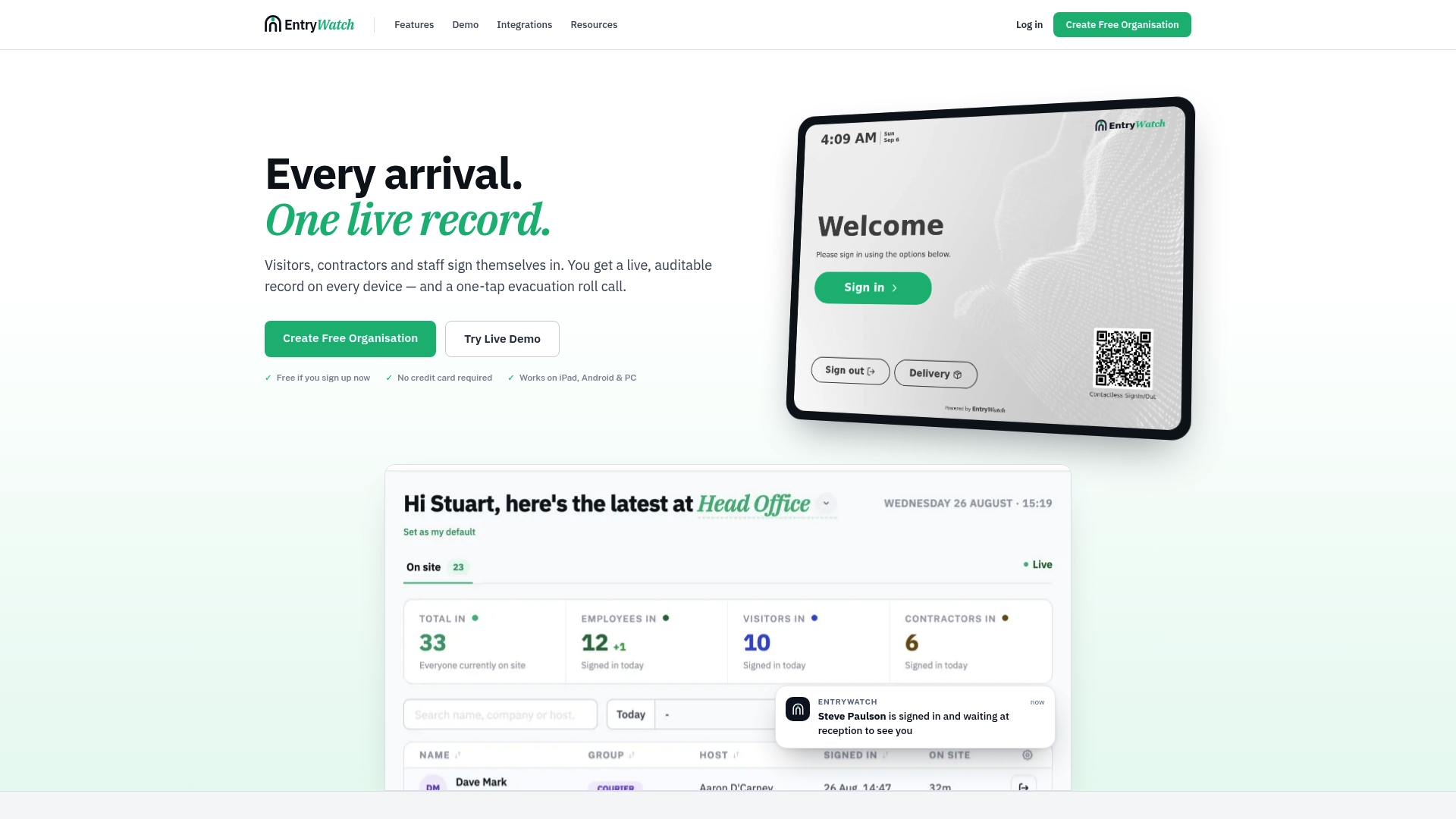
Host notifications route through email, SMS, Teams, or Slack, so the right person knows the moment someone signs in, no manual checking required. For sites that need physical gating alongside digital sign-in, pairing a system like EntryWatch with access control hardware closes the loop between who’s authorized and who’s actually through the door.
A sensible pilot looks like this: enable pre-visit induction on one site, test the sign-in flow for a week, then run a live evacuation drill and review the exported logs for gaps. EntryWatch’s Founding plan currently gives early adopters full platform access at no cost, and the hardware page covers kiosk stands and badge printers if you need physical setup for reception or a site gate. Start with the visitor management feature page to see exactly which settings map to your current process.
FAQ
What is a permit to work process in a visitor management context?
It’s the digital workflow that controls site entry, contractor induction, and emergency accountability, covering pre-visit registration, on-arrival sign-in with hazard acknowledgement, and a live muster list. A visitor management system automates each of these steps instead of relying on paper logs.
How do I obtain a work permit for a contractor visiting my site?
The contractor completes pre-registration through a portal, uploads required documents like insurance and training certificates, and finishes a site-specific induction before arrival. On-arrival, they acknowledge current hazards and receive a badge or QR credential from the host or Area Custodian.
What records do auditors expect from a permit to work checklist?
Auditors under ISO 45001 and the 4Cs system expect timestamped sign-in and sign-out records, induction acknowledgements, hazard briefing logs, and a documented host nomination for each visitor.
How does EntryWatch handle emergency roll calls?
The system maintains a live, auditable site register that updates automatically as people sign in and out, so an emergency roll call reflects who is actually on site rather than a stale list. The evacuation management features include offline access and exportable logs for drills and real incidents.
What does EntryWatch cost for a small pilot?
EntryWatch’s Founding plan is currently free for early adopters, giving full platform access ahead of paid pricing that takes effect later. Check the pricing page for current terms before starting a pilot.