%20--%3e%3cdefs%3e%3cstyle%3e%20.st0%20{%20fill:%20none;%20stroke:%20%230f172a;%20stroke-linecap:%20round;%20stroke-width:%205.5px;%20}%20.st1%20{%20fill:%20%2310b981;%20}%20%3c/style%3e%3c/defs%3e%3cpath%20class='st0'%20d='M2.75,42.01v-20.12C2.75,11.32,11.32,2.75,21.89,2.75s19.14,8.57,19.14,19.14v20.12'/%3e%3cpath%20class='st0'%20d='M14.12,42.01v-13.62c0-4.29,3.48-7.78,7.78-7.78s7.78,3.48,7.78,7.78v13.62'/%3e%3ccircle%20class='st1'%20cx='21.89'%20cy='11.74'%20r='4.98'/%3e%3c/svg%3e)
Prove Who’s On Site in Under an Hour: Site Access Audit for Operations

A site access audit verifies that physical access controls and visitor-management procedures reliably account for who is on site and produce audit-ready evidence. The first step is practical: map your controlled areas and export 30 to 90 days of access logs before you do anything else. From there, the review builds outward into policies, badges, and visitor records, with solutions like EntryWatch available to generate much of that evidence automatically.
TL;DR:
- Access logs should be exported with synchronized timestamps for at least 90 days to ensure accurate reconciliation with camera footage.
- Visitor records must include detailed fields such as purpose, identity verifier, and entry and exit times, maintained and reviewed annually.
- Revoke access promptly after personnel departure and ensure CCTV coverage is comprehensive, with footage retention matching policy requirements.
- Digital visitor management systems provide real-time, exportable logs, reducing errors and supporting automated emergency occupant accountability.
- Conduct quarterly checks focusing on high-risk areas like server rooms and loading docks before expanding to larger site-wide audits.
Table of Contents
- 1. What a site access audit covers
- 2. Step-by-step audit checklist to run on site
- 3. Evidence to collect and how to package it for auditors
- 4. Common findings auditors flag and quick remediations
- 5. Why audits matter for emergency preparedness
- 6. Using visitor management systems to build audit evidence
- 7. Scaling your audit to the size of your site
- EntryWatch: built for audit-ready visitor records
- FAQ
- Sources
1. What a site access audit covers
A site access audit looks at every area where entry is restricted and every process that governs who gets in. Start by identifying controlled areas: server rooms, loading docks, storage for controlled unclassified information, and any restricted workspace where unauthorized entry creates risk.
Next, separate your controls into two groups. Technical controls include your access control system (PACS or ACS), door locks, and badge or key custodianship records showing who holds what. Administrative controls include your written policies, visitor procedures, and contractor induction steps.
Surveillance coverage at entry and exit points matters too, along with how long footage is retained. Auditors also expect every access device, camera, and log source to share the same clock. Time synchronization across your systems through NTP keeps log timestamps consistent, which matters when you are reconciling a badge event against a camera clip or a visitor sign-in. Without synchronized clocks, otherwise solid evidence can look contradictory.

2. Step-by-step audit checklist to run on site
Walking the site in a fixed order keeps the audit repeatable and makes it easier to hand off to a colleague next quarter. Follow these steps:
- Walk the floor plan. Label and photograph every controlled door, server room, and restricted asset so your evidence file matches the physical layout.
- Reconcile access lists. Compare who has active badge or key access against current HR records, then sample badge events for a 30 to 90 day window to confirm the access matches actual use.
- Review visitor records. Check sign-ins, check-outs, escort logs, and contractor induction evidence for gaps or missing fields.
- Test revocation. Simulate a termination and confirm that access is cut off immediately, not at the next scheduled update.
- Pull CCTV samples. Export footage covering entry points for the same window you used for badge events, and confirm retention meets your policy.
- Collect supporting records. Gather configuration snapshots, firmware versions, maintenance tickets, and training attendance for anyone responsible for access control.
This sequence mirrors the approach outlined in LakeRidge’s physical security checklist, which walks through mapping controlled areas, exporting logs, and verifying revocation as core steps for a compliance-ready review.
Pro Tip: Run the revocation test on a dummy or already-departed account, not a current employee, so you can verify the process without creating a real access gap.
3. Evidence to collect and how to package it for auditors
Auditors rarely accept a raw log dump. They want evidence that is dated, traceable, and tied to a specific control.
For access logs, export in a consistent format with NTP-synced timestamps, and set a retention window you can defend. For example, some teams retain 90 days of detailed logs and a yearly summary beyond that, though your retention period should reflect your own risk and any applicable record-keeping rules.
Visitor records need specific fields to be useful: host name, organization, purpose of visit, entry and exit time, and the verifier who confirmed identity, as enabled by a reliable digital logbook system. GSA’s Physical and Environmental Protection guidance calls for visitor access records to be maintained and reviewed at least annually, with automated review mechanisms considered where practical.
Build your evidence package per control, not as one giant file:
- Policy excerpt describing the control’s intent and scope.
- Configuration export showing the control as implemented.
- Log extract covering your sample window.
- Maintenance or incident ticket tied to that control.
- Training attendance for staff responsible for it.
A traceability matrix mapping each control to its evidence folder lets an audit-ready checklist from LakeRidge translate into something an auditor can actually follow in under an hour.
4. Common findings auditors flag and quick remediations
A few issues show up in nearly every audit. Knowing them ahead of time lets you fix them before someone else finds them.
- Missing check-outs: visitors sign in but never sign out, leaving the log inaccurate. Enforce a digital check-out step or require host confirmation before the visitor leaves.
- Orphan badges: former employees or contractors still show active access. Run quarterly deprovisioning reviews and revoke access the same day a person leaves.
- Thin CCTV coverage: footage exists but doesn’t cover every entry point, or retention is too short to matter. Add cameras at ingress and egress points and extend retention to match your policy.
- Weak contractor inductions: contractors are let in without documented safety briefings or signed acceptance. Use tiered inductions matched to risk level, with a signed or digital acknowledgment on file.
Each of these is a quick fix once identified, but they tend to recur if no one owns the quarterly review.
5. Why audits matter for emergency preparedness
Access records aren’t only for compliance. They are what responders and wardens rely on during an actual emergency.
A real-time, auditable occupant list shortens head-count time during an evacuation and reduces the risk of someone being missed. CISA’s 2024 Occupant Emergency Programs guide describes automated accountability systems, combining access control, visitor management, and mass notification, that cut head-count time from tens of minutes to a matter of minutes. One example cited in that guidance, the CMS Accountability Bot, brought response times down to five to seven minutes by linking those same three systems together.
A good audit also checks whether your emergency plan accounts for mobility limitations, language differences, and visitors unfamiliar with your site’s assembly points. A log that tracks who is on-site is only useful in a fire drill or real evacuation if your warden procedures actually use it.
6. Using visitor management systems to build audit evidence
Digital visitor management turns a manual, error-prone process into a steady stream of timestamped records. Contactless sign-in, QR code check-in, and kiosk-based badge printing all generate an exportable entry with a precise time, which is exactly what an auditor wants to see.

Consistent naming matters as much as the technology. Label doors and cameras the same way across every export (for example, BLDG1-RM101-DoorA) so an auditor reviewing logs across multiple sites doesn’t have to guess which entry point a record refers to.
EntryWatch’s visitor management features are built around this kind of auditable record: every sign-in produces a timestamped entry, and self-service kiosks remove the queue at reception while still capturing the same data. Features worth checking against your own audit needs include:
- Real-time, exportable entry and exit logs across multiple sites.
- Configurable digital forms for inductions, NDAs, and health declarations.
- Automatic emergency roll-call tied to who has actually signed in.
- Contactless and kiosk sign-in that still produces a verifiable record.
An ASIS 2026 survey found that about 60% of organizations now use dedicated visitor management software, while 23% still rely on pen-and-paper, and 72% of security professionals say they want to improve visitor and contractor management. That gap between adoption and confidence is where most audit findings come from.
7. Scaling your audit to the size of your site
Start where the consequences are highest: server rooms, controlled unclassified information storage, and busy loading docks before general office space.
Small teams get more mileage from automation than from more checklists. Scheduled exports, a short evidence cookbook per control, and a consistent review date beat a one-time scramble. Larger sites benefit from role-based delegation, where facilities owns the badge system, security owns CCTV, and each team samples its own evidence against the same schedule.
A realistic cadence is a quarterly tactical check paired with one full annual audit. That rhythm catches orphan badges and missing check-outs before they pile up.
— Flipmind
EntryWatch: built for audit-ready visitor records
We built EntryWatch around the evidence an audit actually asks for: real-time, auditable entry and exit logs, contactless sign-in, self-service kiosks, and automatic emergency roll-calls that tie directly to who signed in that day. Multi-site exports keep door and camera naming consistent, so pulling evidence across locations doesn’t turn into a side project.
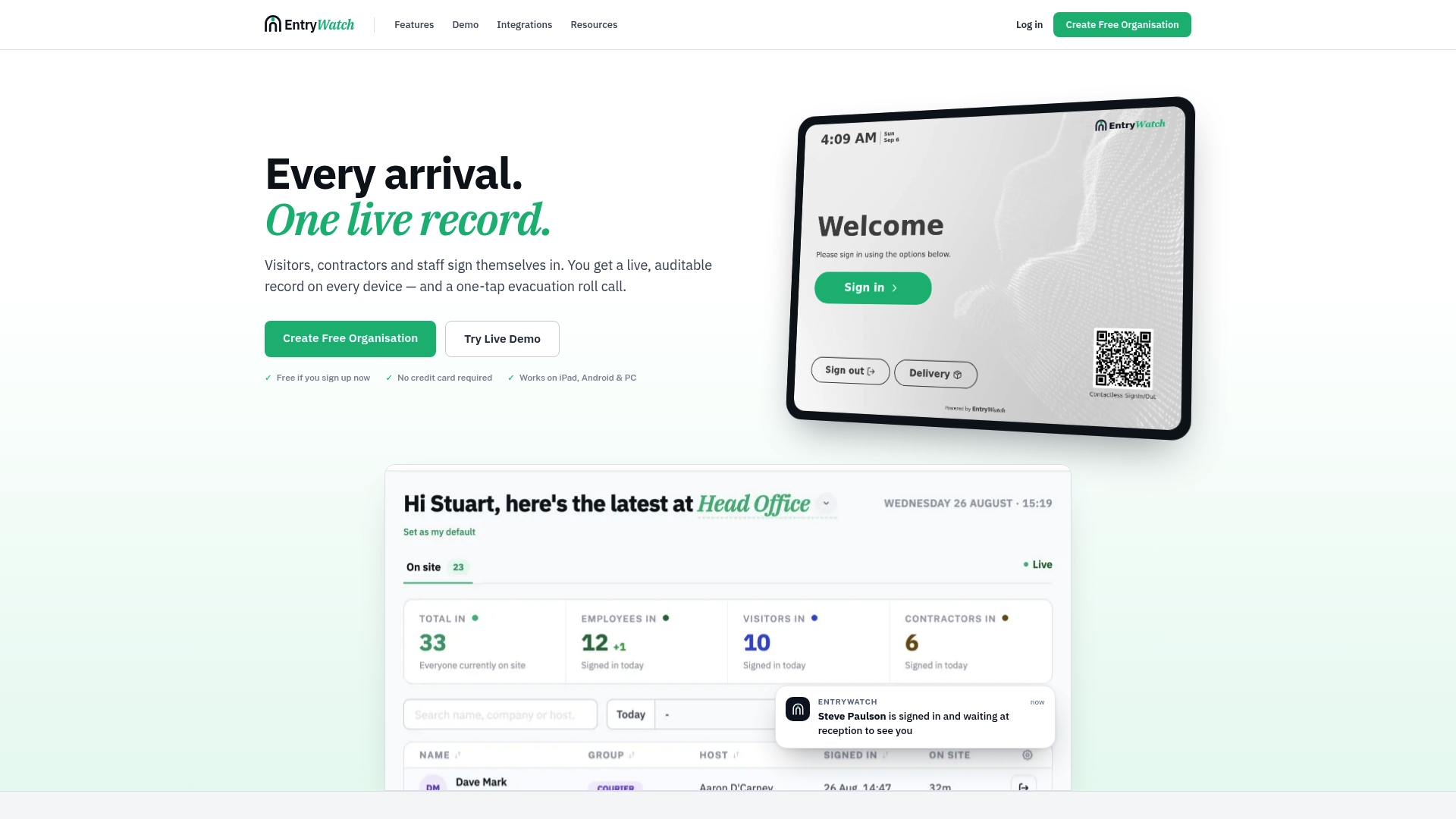
Founding customers get the complete platform, including every feature above, free for a limited time, which makes it straightforward to trial before your next audit cycle. You can view our founding offer or explore the full visitor management feature set to see how the records map to your own checklist.
FAQ
What is a site access audit?
A site access audit is a review of physical access controls and visitor-management procedures, checking whether badge systems, visitor logs, and contractor records produce accurate, exportable evidence of who was on site and when.
How often should access logs be reviewed?
GSA’s physical and environmental protection guidance calls for visitor access records to be reviewed at least annually, though many teams add quarterly checks between full reviews to catch issues sooner.
What evidence do auditors expect for physical access controls?
Auditors generally expect a policy document, a configuration export, a log extract, and supporting tickets or training records for each control, rather than a single raw log file.
How does visitor management software help with emergency accountability?
A digital, real-time occupant list speeds up head counts during an evacuation. CISA’s Occupant Emergency Programs guide notes that automated systems combining access control, visitor data, and mass notification can shorten head-count time to minutes.
Does EntryWatch support emergency roll-call during an audit review?
Yes. EntryWatch’s evacuation management tools generate a live occupancy register from the same sign-in data used for day-to-day visitor logs, so the same record supports both routine audits and emergency roll-calls.
Sources
- PE.L1-B.1.IX: Audit Your Physical Security: Checklist to Verify Compliance - LakeRidge
- IT Security Procedural Guide: Physical and Environmental Protection (PE) CIO-IT Security-12-64
- Occupant Emergency Programs: An ISC Guide - 2024 Edition
- Controls and visibility: ASIS 2026 report