%20--%3e%3cdefs%3e%3cstyle%3e%20.st0%20{%20fill:%20none;%20stroke:%20%230f172a;%20stroke-linecap:%20round;%20stroke-width:%205.5px;%20}%20.st1%20{%20fill:%20%2310b981;%20}%20%3c/style%3e%3c/defs%3e%3cpath%20class='st0'%20d='M2.75,42.01v-20.12C2.75,11.32,11.32,2.75,21.89,2.75s19.14,8.57,19.14,19.14v20.12'/%3e%3cpath%20class='st0'%20d='M14.12,42.01v-13.62c0-4.29,3.48-7.78,7.78-7.78s7.78,3.48,7.78,7.78v13.62'/%3e%3ccircle%20class='st1'%20cx='21.89'%20cy='11.74'%20r='4.98'/%3e%3c/svg%3e)
Facility Managers: Visitor Time Tracking for 5–7 Minute Accountability

Visitor time tracking is a digital, timestamped record of every arrival and departure. Your facility needs a real-time, auditable system with automated checkout and emergency roll-call support, not a paper sign-in book that goes stale the moment someone walks past the front desk. We built EntryWatch around exactly this requirement, so facility and security teams can see who is onsite at any given moment and prove it later.
TL;DR:
- Automated checkouts and real-time occupant rosters are essential to ensure accurate building occupancy and emergency accountability.
- Integrating visitor management with emergency systems can reduce evacuation headcount times to five to seven minutes.
- Systems should support exportable audit logs, contactless sign-in options, and tamper-proof records to maintain security and compliance.
- Conducting pilot tests at a single site or entrance for two to four weeks helps evaluate system performance and staff training before full deployment.
- Retaining visitor data requires documented policies and automated deletion schedules to minimize liability and support audits.
Table of Contents
- What visitor time tracking must capture and why it matters
- What features should you require from a visitor time-tracking system?
- How do you evaluate and implement a visitor time-tracking system?
- How does visitor tracking support emergency accountability?
- How should you handle data privacy and retention?
- What reports and integrations make time tracking useful?
- Treat visitor time tracking as a security function, not a front-desk task
- How EntryWatch meets these visitor time-tracking requirements
- FAQ
- Sources
What visitor time tracking must capture and why it matters
A usable system records three things: when someone arrives, how long they stay, and when they leave. Each field does a different job.
- Arrival timestamping covers pre-registered guests, walk-ins, and identity capture at the point of entry.
- Automated checkout prevents “ghost visitors,” people the system still shows as onsite after they have left, and keeps your occupancy count honest.
- Duration or dwell time supports billing accuracy, resource planning, and incident investigations after the fact.
- Host notification and location tagging get the right person alerted fast, which shortens response time for both routine visits and emergencies.
Skip any one of these fields and your register stops being reliable. A log with arrivals but no checkouts just tell you who showed up, not who is actually in the building right now.
What features should you require from a visitor time-tracking system?
Not every visitor management tool treats time tracking as a security function. Before you commit to one, check it against this list.
- Live occupant roster and exportable audit logs. You need a register you can query in real time and export for compliance review without calling IT.
- Contactless self-service kiosks and QR or mobile sign-in. Faster processing at the door means fewer people clustered in reception and fewer missed sign-ins.
- Evacuation roll-call and mass-notification integration. The system should turn a badge-in feed into an assembly-area head count within minutes, not after someone manually cross-checks a clipboard.
- SSO, calendar, and messaging integrations. Host workflows and multi-site control depend on the system talking to the tools your staff already use.
- Custom digital forms and badge printing. NDAs, health declarations, and site rules get captured at sign-in, and a printed badge gives onsite staff a visual check.
- Retention automation and tamper-evident logs. Old records should age out automatically, and the ones you keep need to resist quiet edits.
Pro Tip: Ask any vendor to show you a live export of their audit log during the demo, not a screenshot. If the export takes more than a few clicks, your team will skip it under pressure.
How do you evaluate and implement a visitor time-tracking system?
Start with a checklist, then run a short pilot before you roll anything out building-wide.
- Security and compliance fit: does the system support audit exports and role-based access?
- Integrations: does it connect to your calendar, SSO, and messaging tools?
- Emergency features: can it generate a roll-call list fast enough for a real drill?
- Hardware compatibility: will it run on the kiosks, tablets, or printers you already own or plan to buy?
- Support and SLA: who do you call when the kiosk goes offline at 8 AM on a Monday?
A pilot should run two to four weeks, scoped to one entrance or one site, with clear acceptance criteria before you expand it further.
| Pilot stage | What to measure | Target outcome |
|---|---|---|
| Scoping | Entry points and visitor volume covered | One site or entrance fully mapped |
| Testing (2-4 weeks) | Checkout completion rate | Few unclosed visits by pilot end |
| Drill | Time-to-accountability during a roll call | Fast, repeatable head count |
| Rollout | Staff and host training completion | All hosts trained before go-live |
Deployment means placing hardware where foot traffic actually flows, training staff and hosts on the new workflow, and keeping a paper or phone fallback procedure ready for outages. Once live, keep watching the percentage of unclosed visits, time-to-accountability during drills, and how often your team actually exports reports. Those three numbers tell you whether the system is working or just running.
How does visitor tracking support emergency accountability?
During an evacuation, the question that matters most is simple: who is still inside? A live, badge-in and badge-out feed answers that faster than any clipboard count.
- Incident Command needs a rapid occupant list at the assembly area, not a reconstruction after the fact.
- Automated notification can push status updates to wardens and responders as people check in at the muster point.
- Regular drills, run against the same system you’d use in a real event, reveal whether your process actually holds up under pressure.
CISA guidance on occupant emergency programs describes an automated “accountability bot” that integrates access control, visitor management, and notification systems to speed status updates to five to seven minutes, a dramatic improvement over manual roll calls. That is the benchmark worth aiming for if your current process still relies on a warden with a paper list.
How should you handle data privacy and retention?
A visitor log is a liability if you keep it longer than you need it or can’t explain why you collected it. Treat retention as a policy decision, not an afterthought.
- Collect only what the visit actually requires, and document the purpose for each field you capture.
- Automate deletion on a schedule. Default to a short retention window unless a specific legal or operational reason justifies longer.
- Keep audit logs tamper-evident, with export options ready for legal or regulatory requests.
- Write your retention windows into policy documentation so an auditor, not just your team, can follow the logic.
Pro Tip: Pair your retention schedule with a secure disposal process. Our partners at Secure Shred outline how data minimization and lawful retention limits work together under GDPR, a useful reference even outside the UK.
What reports and integrations make time tracking useful?
Raw timestamps are only as useful as the reports built on top of them. A few reports do most of the work: the live roster, full visit history, average visit duration, and a list of overdue checkouts that haven’t closed out on schedule.
- SSO and SCIM integrations keep host and employee records in sync without manual entry.
- Calendar integrations let hosts pre-register expected guests so the kiosk already knows who’s coming.
- Teams, Slack, or SMS alerts notify hosts the moment their visitor checks in.
- Scheduled exports in common formats like CSV or PDF turn daily logs into audit-ready reports without someone pulling data by hand.
Automated, scheduled exports matter more than they sound. A manager who has to remember to run a report monthly will eventually forget, and that’s exactly the gap an auditor finds first.
Treat visitor time tracking as a security function, not a front-desk task

The biggest mistake we see is treating visitor sign-in as a reception convenience rather than a core part of facility security. That framing shapes everything downstream, from which features get prioritized to whether anyone ever tests the emergency workflow before a real incident forces the question.
Run drills against your actual system. Measure time-to-accountability every time. Enforce your retention policy instead of letting logs pile up by default. A register is only as trustworthy as the discipline behind it.
— Flipmind
How EntryWatch meets these visitor time-tracking requirements
We designed EntryWatch’s visitor management system around the exact checklist above: a live occupant roster, contactless kiosks, evacuation roll calls, and exportable audit logs, all in one platform.
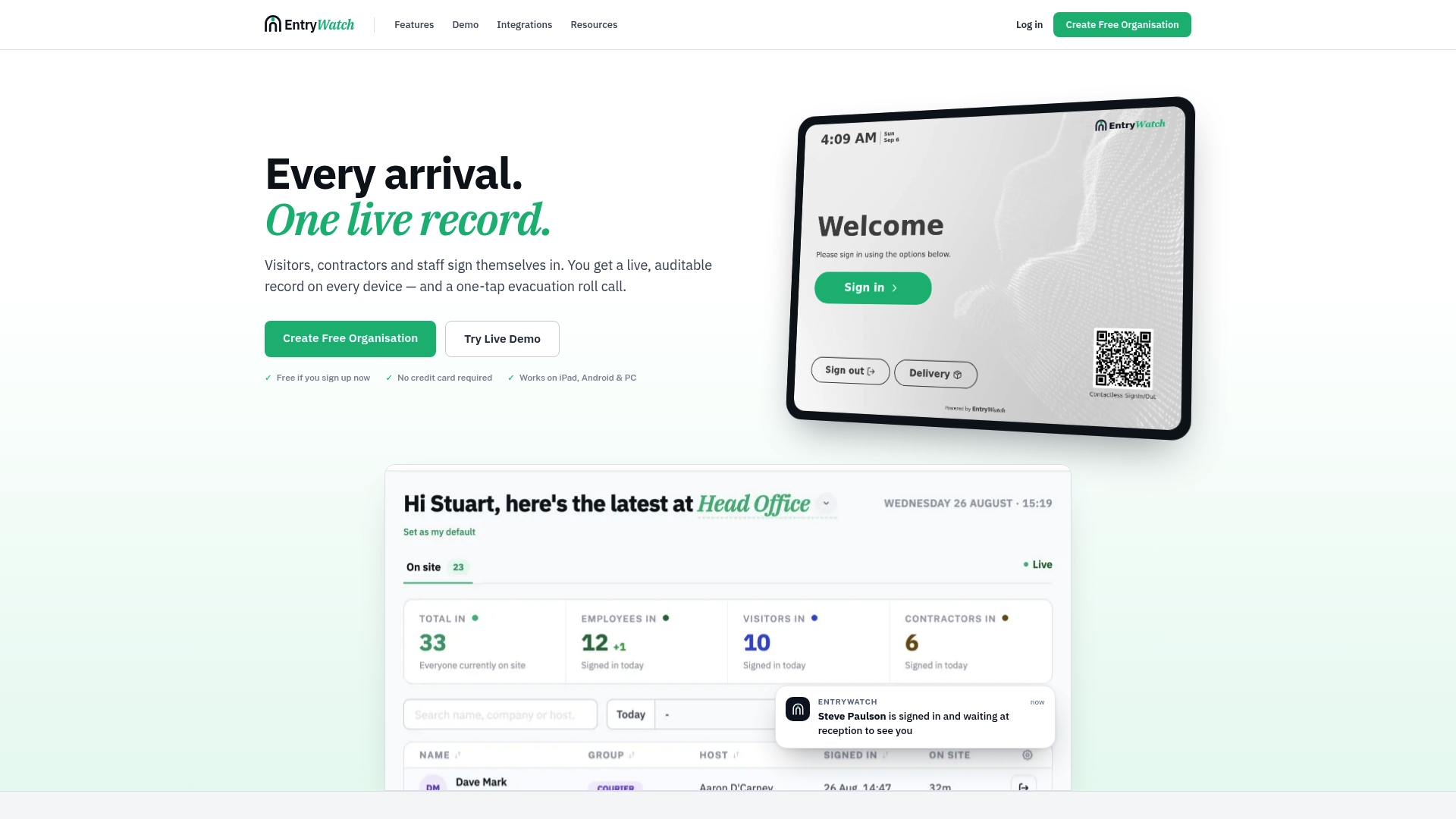
- Live roster and audit logs give your team a real-time, exportable record for compliance reviews.
- Self-service kiosks and mobile sign-in cut queues at reception and speed up check-in for visitors, contractors, and staff alike.
- Evacuation roll-call support turns your badge-in data into a fast, accurate head count during a drill or real event.
- Badge printing gives onsite staff a quick visual check alongside the digital record.
- Integrations with everyday tools like Microsoft Entra ID, Google Workspace, Teams, and Slack keep host notifications and sign-in workflows connected across every site.
Every feature on this platform is included free for founding customers until 2027, so there’s no cost barrier to running a real pilot. Check pricing and the Founding plan, browse kiosk stands and badge printers for your site, or see how the platform fits your industry before you commit.
FAQ
What is visitor time tracking in a facility management context?
Visitor time tracking is the digital recording of when a visitor arrives, how long they stay, and when they leave, usually through a kiosk, badge, or mobile sign-in. It replaces manual logbooks with a real-time, exportable record that supports both daily operations and emergency accountability.
How quickly should a system produce an emergency head count?
Automated systems that integrate access control, visitor management, and notification tools can speed accountability updates to five to seven minutes, according to CISA guidance on occupant emergency programs. Manual roll calls using paper lists typically take considerably longer and are more prone to error.
What is the difference between dwell time and visit duration?
Dwell time, a concept from information retrieval), generally describes how long someone spends engaging with content or a space, while visit duration in a visitor management system refers specifically to the time between a recorded check-in and check-out. The system-based measurement is more precise because it relies on explicit timestamps rather than inferred engagement.
How long should facilities retain visitor data?
Retention periods vary by jurisdiction and purpose, so facilities should document why they collect each data point and default to the shortest retention window that meets their legal or operational needs. Pairing automated deletion with a documented policy makes audits easier and reduces unnecessary data exposure.
Does EntryWatch offer a free option for new customers?
EntryWatch offers its full feature set free for founding customers through 2027 under the Founding plan. Pricing details and plan terms are available on the pricing page.