%20--%3e%3cdefs%3e%3cstyle%3e%20.st0%20{%20fill:%20none;%20stroke:%20%230f172a;%20stroke-linecap:%20round;%20stroke-width:%205.5px;%20}%20.st1%20{%20fill:%20%2310b981;%20}%20%3c/style%3e%3c/defs%3e%3cpath%20class='st0'%20d='M2.75,42.01v-20.12C2.75,11.32,11.32,2.75,21.89,2.75s19.14,8.57,19.14,19.14v20.12'/%3e%3cpath%20class='st0'%20d='M14.12,42.01v-13.62c0-4.29,3.48-7.78,7.78-7.78s7.78,3.48,7.78,7.78v13.62'/%3e%3ccircle%20class='st1'%20cx='21.89'%20cy='11.74'%20r='4.98'/%3e%3c/svg%3e)
13-Section Visitor Policy Template: Ready to Use for HR and Facilities

Use this editable visitor policy template to document and operationalize how visitors are approved, signed in, supervised, and accounted for in an emergency. It is built for HR, facilities, and operations managers who need a working document, not just policy language. The goal is clarity for everyone on site and a reliable headcount if something goes wrong.
TL;DR:
- Visitor categories should be tailored to specific site risks, with different rules for contractors, vendors, personal guests, and delivery drivers.
- Approval processes must specify who authorizes visits, the required advance notice, and whether registration is via portal, email, or forms.
- Sign-in workflows should include identification, badge issuance, and a clear requirement for visitors to sign out, ensuring accurate records.
- Emergency procedures must assign responsibility for retrieving visitor lists and conducting headcounts during evacuations, with regular drills including visitors.
- Data retention policies need to be justified by operational necessity, with records limited to essentials like names and times, and access restricted to authorized personnel.
Table of Contents
- What a complete visitor policy must include
- A compact, editable visitor policy you can copy and adapt
- How to adapt the template to your site and risk profile
- Emergency procedures and visitor accountability
- Visitor data: collection, retention, and provider responsibilities
- Deployment checklist and companion materials
- Why pairing a template with live sign-in matters
- Turning the policy into a working system
- Sources
- FAQ
What a complete visitor policy must include
Before you copy any sample text, check it against this list. Most gaps in a visitor policy show up during an audit or, worse, during an actual evacuation.
A complete policy addresses these areas:
- Visitor categories: clients, vendors, job candidates, personal guests, contractors, and delivery drivers each need their own rules, since a vendor with ongoing site access needs different handling than a one-time guest.
- Approval and registration: name who approves each visitor type, set a lead time for advance notice, and decide whether approval happens by email, a booking portal, or a digital form.
- Check-in steps: identification requirements, badge issuance, and a clear rule that badges stay visible for the full visit.
- Sign-out: every visitor who checks in must check out, so the record closes cleanly.
- Escort and supervision rules: map visitor categories to the zones they may enter and specify where an escort is mandatory.
- Conduct expectations: photography restrictions, confidentiality or NDA requirements, and basic site rules.
- Health and safety provisions: proportionate to the site, not copied wholesale from a pandemic-era template.
- Deliveries and exceptions: a separate, lighter-touch process for couriers and suppliers who are not general visitors.
- Enforcement and review: consequences for policy breaches and a set schedule for revisiting the document.
A workable sign-in workflow typically follows a host-approval sequence: the host requests or approves the visit, reception or a system verifies the visitor, the visitor completes any required forms, a badge is issued, and the visitor checks out at departure.
A compact, editable visitor policy you can copy and adapt
Paste the structure below into Word or Google Docs and fill in the bracketed placeholders with your organization’s details.
- Policy overview: states the purpose of the policy, the effective date, and the approver (Organization Name, Site Name, Effective Date, Policy Owner).
- Visitor categories: lists who counts as a visitor at your site and any category-specific rules.
- Approval and registration: names who approves visits, the required lead time by category, and the registration method (portal, email, or form).
- Check-in and check-out: identification required, sign-in method, and the sign-out requirement.
- Badges: badge format, visibility rule, and what happens if a badge is lost.
- Escorts and access: which zones require an escort and who is authorized to provide one.
- Conduct and confidentiality: photography rules, NDA requirements, and general site conduct.
- Privacy: what data is collected, why, and how long it is kept.
- Health and safety: site-specific provisions, reviewed against current public health guidance.
- Emergency procedures: evacuation route, assembly point, and who is responsible for visitor accountability.
- Deliveries and exceptions: separate handling for couriers and short-duration visits.
- Enforcement: consequences for non-compliance.
- Review: date of next review and who owns the update.
Pair this document with a one-page registration checklist and a signature line for visitor acknowledgment, since a policy that nobody signs is hard to enforce later.
How to adapt the template to your site and risk profile
A generic policy fails the moment it meets a real building. Adjust these before you publish:
- Map categories to zones: a delivery driver may only need the loading dock, while a contractor working in a server room needs an escort and a signed access log.
- Set lead times by risk: a personal guest might need no notice, while a contractor entering a restricted area might need 24 hours or more.
- Decide on extra documentation: require NDAs, proof of insurance, or a short induction for higher-risk visits.
- Adjust for your sector: an office needs lighter controls than a lab, a hospital, a warehouse, or an event venue, each of which carries its own exposure.
University of Derby’s visitor management policy illustrates this approach by tying access to zones and requiring host booking for sensitive areas rather than applying one rule to every visitor.
Emergency procedures and visitor accountability
A visitor policy only proves itself during an evacuation. OSHA’s emergency action plan guidance calls for accounting for everyone on site, including visitors, and for assistance procedures for people with disabilities or language needs.
Name, in the policy itself, who retrieves the visitor list and takes it to the assembly point. Reception or security should be the default owner. Badges and logs need to be readable at a glance, since a warden checking names against a crowd has no time to decode small print.
Hosts share responsibility for their own guests during an evacuation, helping them reach the assembly point and reporting anyone missing. OSHA’s planning publication recommends testing these procedures through regular drills, with visitor counts included every time.

Visitor data: collection, retention, and provider responsibilities
Collect only what the visit requires: name, host, company, and time in and out. Avoid asking for extra details that serve no operational purpose.
ICO guidance on employment and visitor records warns against indefinite retention. Set a retention period tied to operational need, document it, and review it periodically rather than copying a figure from another organization. Restrict log access to reception, security, and designated managers. When a SaaS provider processes your visitor data, the contract should spell out who controls the data and who processes it on the organization’s behalf. Secure Shred’s guidance on GDPR and DPA 2018 steps covers this controller and processor distinction in more detail.

Deployment checklist and companion materials
Rolling out a new policy goes faster with the right supporting documents ready before day one.
- Publish the registration form, badge template, and host responsibilities sheet alongside the policy.
- Document the emergency roster procedure, naming who retrieves it and where.
- Set a review schedule, typically annual or after any incident.
- Train reception staff, hosts, and evacuation wardens on their specific roles.
- Run a small pilot at one entrance or site, collect feedback, and update the policy before a full rollout.
Pro Tip: Run an evacuation drill using your live sign-in roster so you find out whether it actually produces an accurate headcount before a real emergency does.
A QR code check-in can speed up badge issuance during a pilot; AriaQR’s enterprise checklist covers the setup details if you’re adding QR-based sign-in to your badges.
Why pairing a template with live sign-in matters
A written policy is only half the job. Without a live, accurate sign-in record, an evacuation roll call becomes a guess. The best policies pair clear rules with a system that updates the moment someone checks in or out, whether that’s a paper log checked twice a day or a kiosk that updates in real time.
Take the template above, adapt it to your site, and test it with an actual drill before you rely on it.
— Flipmind
Turning the policy into a working system
A written policy sets the rules. EntryWatch turns those rules into a live process: contactless sign-in, badge printing, and self-service kiosks that remove the front-desk queue while keeping an auditable record of every entry.
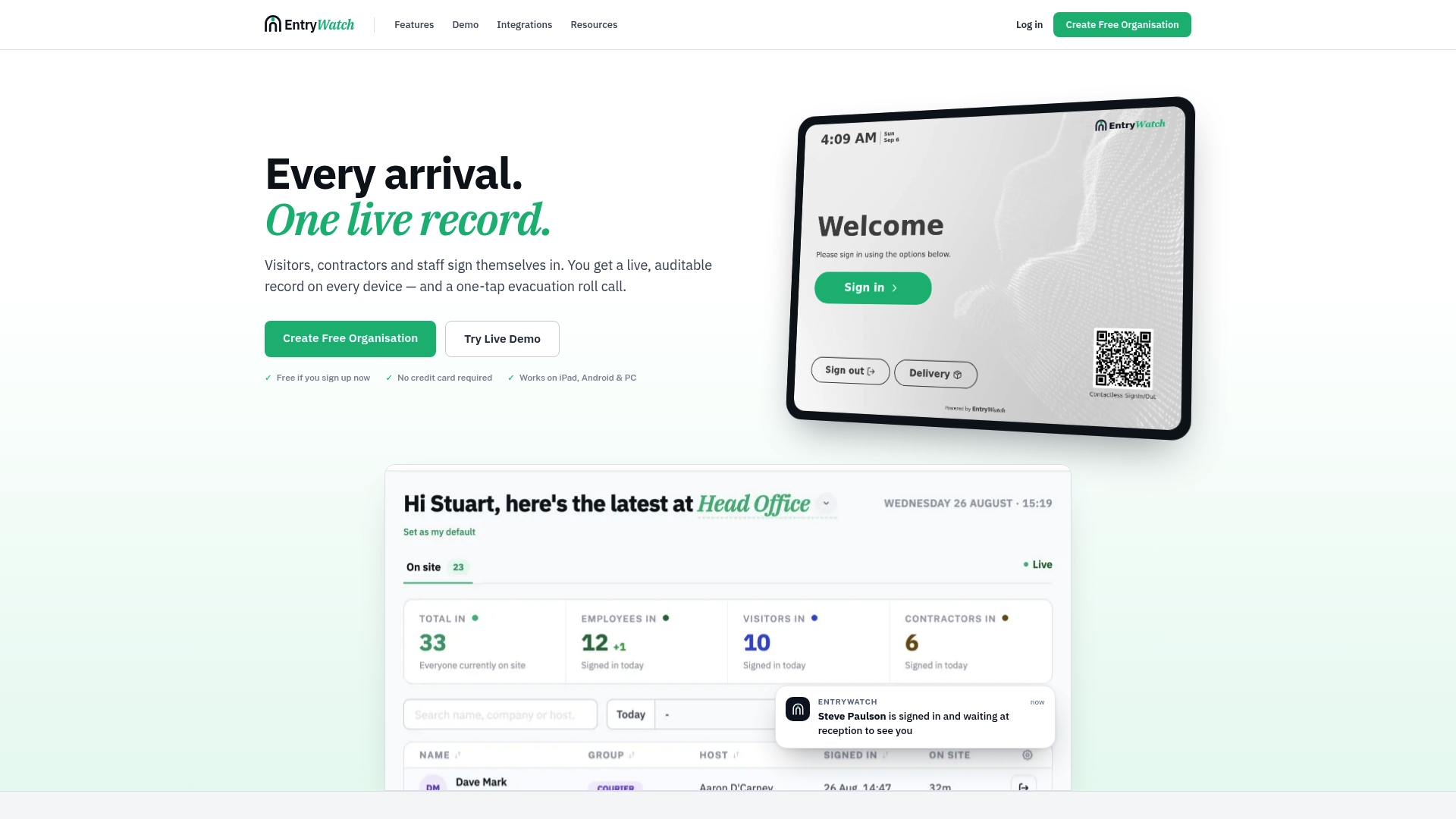
For emergencies, the same record becomes an automatic roll call, so the person retrieving the list at the assembly point has accurate names in seconds rather than a paper log to reconcile by hand. Founding customers receive free access to the platform until 2027. Check current Founding plan details to see if it fits your site.
Sources
- Evacuation plans and procedures - emergency action plan elements | OSHA
- Collecting and keeping employment records | ICO
- Visitor policy guidance and workflow examples — Indeed Hire
FAQ
What should a basic visitor policy template include?
A basic template covers visitor categories, approval and registration steps, check-in and check-out procedures, badge rules, escort requirements, data privacy terms, and emergency accountability procedures. It should also name who owns enforcement and when the policy gets reviewed.
How long should we keep visitor sign-in records?
There is no universal retention period. ICO guidance recommends justifying retention by operational need, documenting the period, and reviewing it regularly rather than keeping records indefinitely.
Who is responsible for counting visitors during an evacuation?
The policy should name a specific role, typically reception or security, to retrieve the visitor list and take it to the assembly point. OSHA’s emergency action plan guidance treats visitor accountability as a core element of a usable plan, alongside assistance for people with disabilities or language needs.
Do all visitors need an escort on site?
No. Escort requirements should be mapped to specific zones and risk levels rather than applied to every visitor. A client meeting in a reception area may need no escort, while a contractor entering a restricted zone typically does.
Can visitor management software replace a written policy?
No. Software like EntryWatch operationalizes the rules a written policy sets, handling sign-in, badges, and emergency rosters, but the policy itself still needs to define categories, approval steps, and accountability procedures.